Years in frame: 9 AI age progression prompts from newborn to age 100
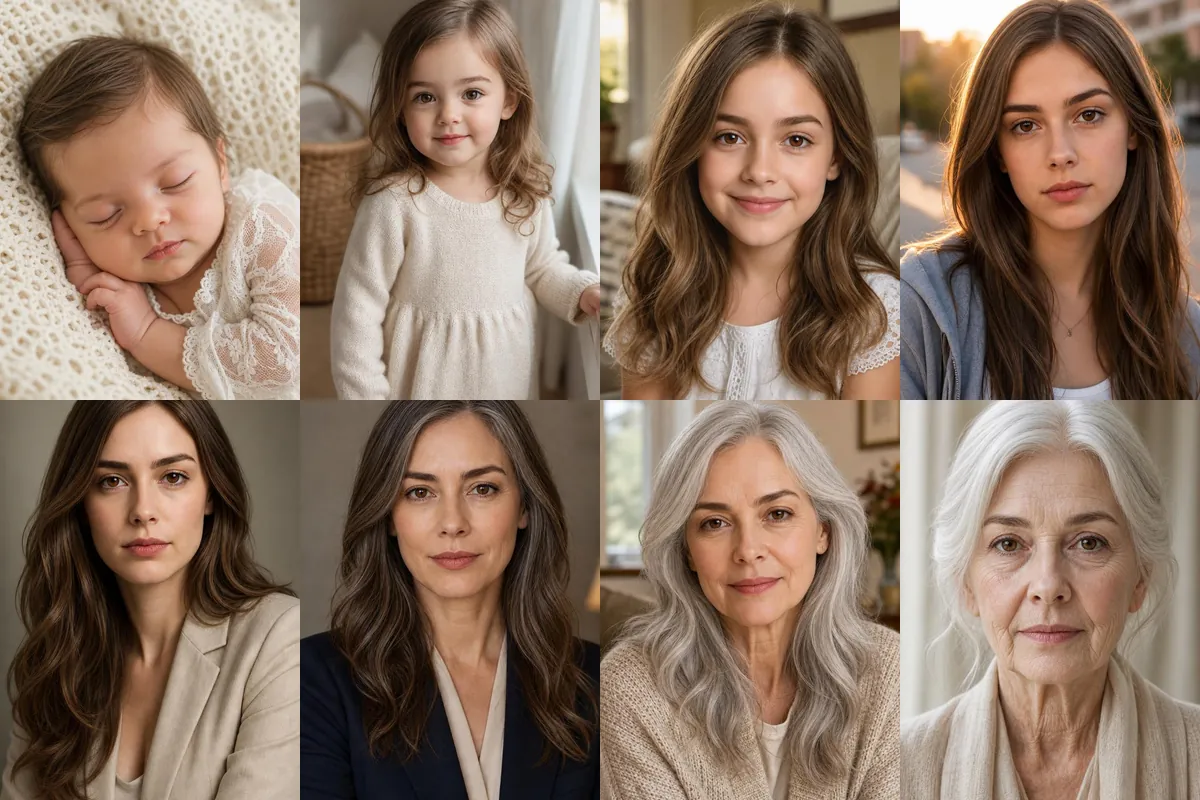
This set turns one photo into a timeline, imagining the same person as a baby, a child, a teenager, an adult and an elder. People use it for side-by-side carousels, birthday posts and the classic aging trend video.
Each age is a separate Reshot AI template you can open with a selfie in the iPhone app, or copy into another tool. All nine prompts use your upload as the identity reference and keep the warm, soft-lit portrait style consistent.
How these templates use your photo
Each template starts from a photo you pick. The prompt tells the model what to change, and your photo is the reference for everything else. Clear, front-facing photos with even light give the closest match.
1. Newborn asleep on a blanket
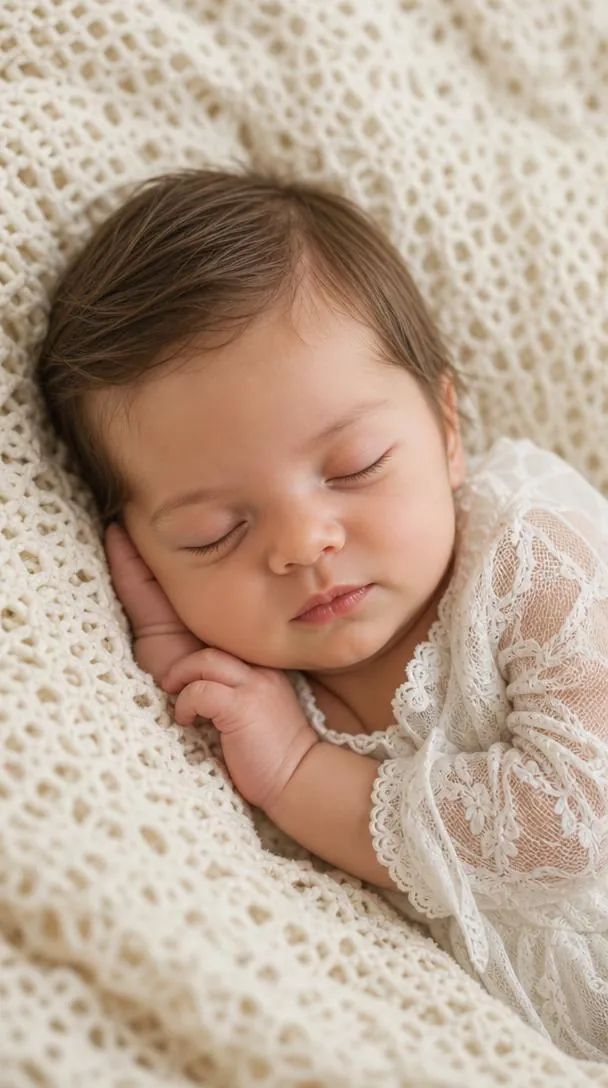
A sleeping newborn on a soft cream knit blanket in a white lace baby outfit, with round cheeks, tiny hands and soft curls. Dreamy nursery light keeps it gentle, and the prompt still uses your photo as the identity reference.
Create a realistic newborn baby portrait (Age 0)** using the uploaded reference image as the exact identity reference. Show the same person as a peaceful newborn sleeping on a soft cream blanket, wearing a delicate white lace baby outfit. Round baby cheeks, tiny hands, soft curls, warm natural skin, dreamy nursery lighting, cozy family portrait, photorealistic DSLR, 9:16 vertical, 8K.
2. Toddler at age 2
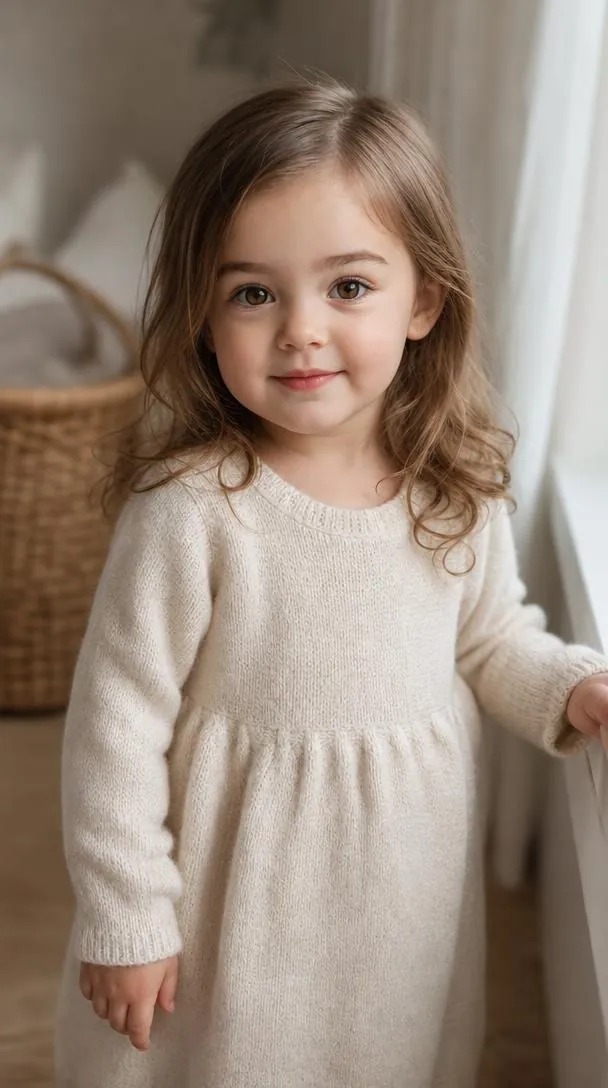
A two-year-old standing indoors by a window in a soft cream knit dress, with curious eyes and a small smile. Warm window light and natural toddler proportions keep the face clear and recognizable as a younger version.
Create a realistic Age 2 toddler portrait** using the uploaded reference image as the exact identity reference. Show the same child standing indoors in a soft cream dress or cozy toddler outfit, with curious eyes and a gentle smile. Natural toddler proportions, soft curls, warm window light, family lifestyle photography, photorealistic DSLR, 9:16 vertical, 8K.
3. Smiling child at age 7
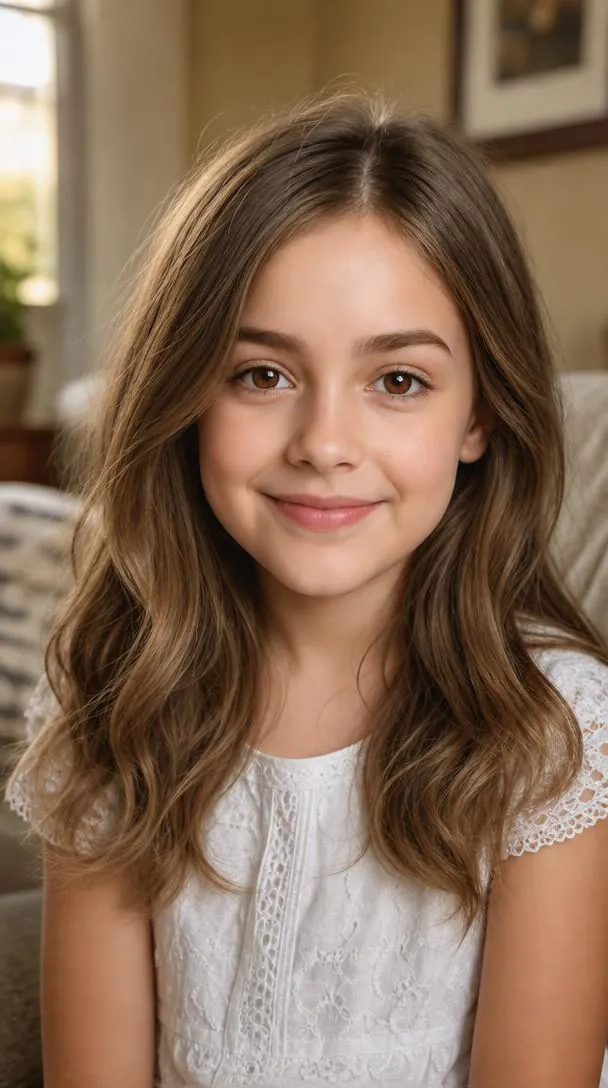
A cheerful seven-year-old with wavy hair and a white lace top, set against a warm home background in daylight. The bright, direct smile keeps the face centered and easy to compare with the other ages.
Create a realistic Age 7 child portrait** using the uploaded reference image as the exact identity reference. Show the same person as a cheerful 7-year-old with bright eyes, soft wavy hair, and a joyful smile. Wear a simple white lace dress or casual children's clothing. Warm home background, natural daylight, photorealistic DSLR, 9:16 vertical, 8K.
4. Teenager at golden hour
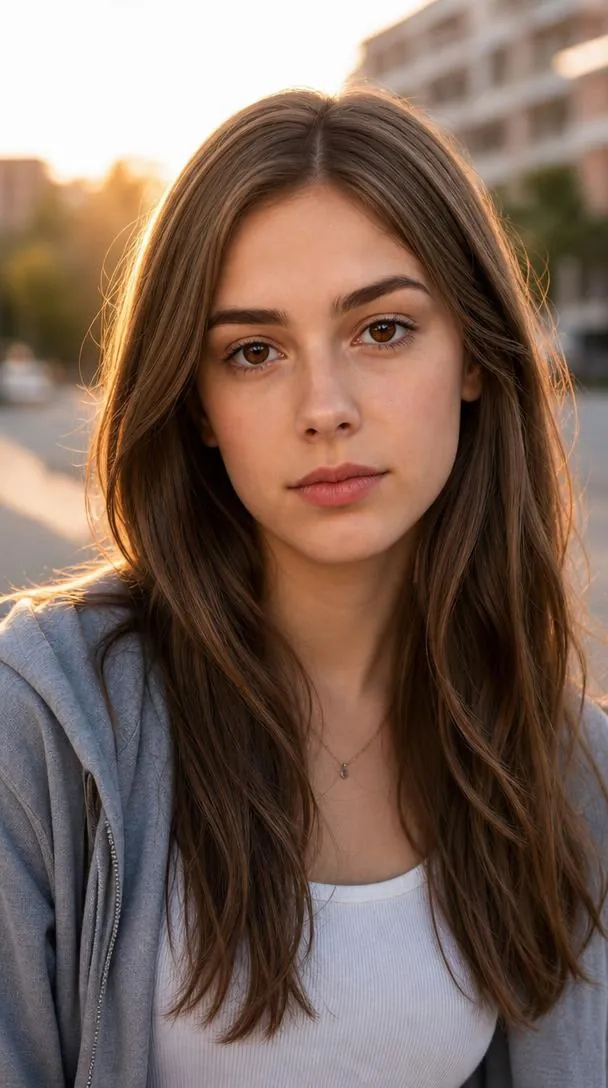
A 15-year-old in a casual layered outfit with minimal makeup, photographed outdoors in low golden-hour sun. The calm expression and soft backlight keep facial features natural rather than stylized.
Create a realistic Age 15 teenage portrait** using the uploaded reference image as the exact identity reference. Show the same person as a stylish teenager with youthful skin, natural hairstyle, and a calm confident expression. Minimal makeup, casual modern outfit, soft outdoor golden-hour lighting, photorealistic DSLR portrait, 9:16 vertical, 8K.
5. Adult at age 30
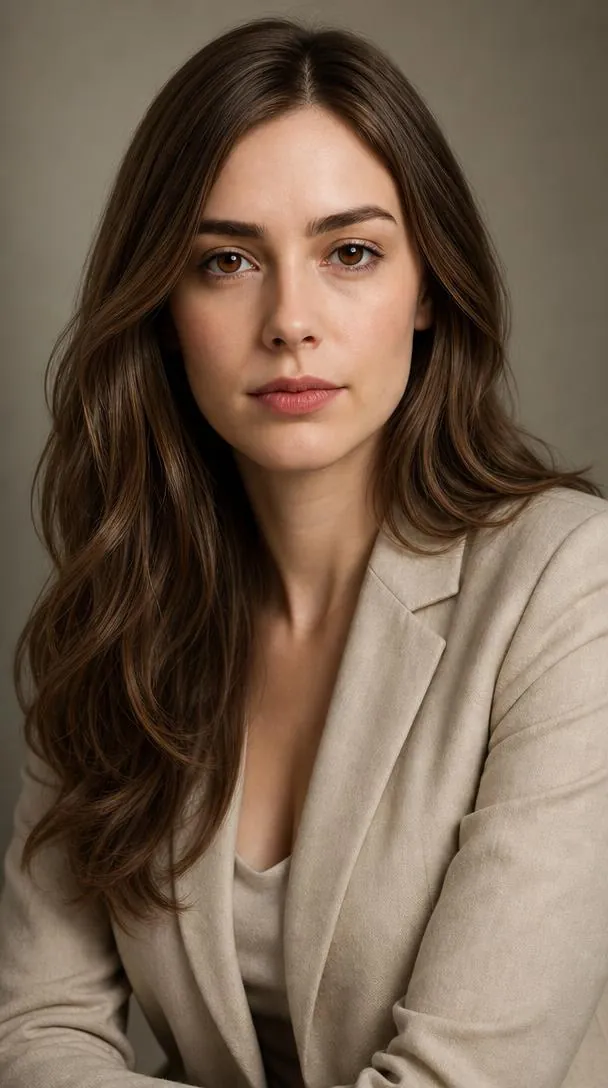
A confident young adult in a neutral cream blazer under soft studio lighting. The prompt adds mature facial features and healthy skin while keeping the uploaded identity.
Create a realistic Age 30 portrait using the uploaded reference image as the exact identity reference. Show the same person as a confident young adult wearing elegant neutral clothing with healthy glowing skin and mature facial features. Soft studio lighting, luxury portrait photography, photorealistic DSLR, 9:16 vertical, 8K.
6. Graying at age 50
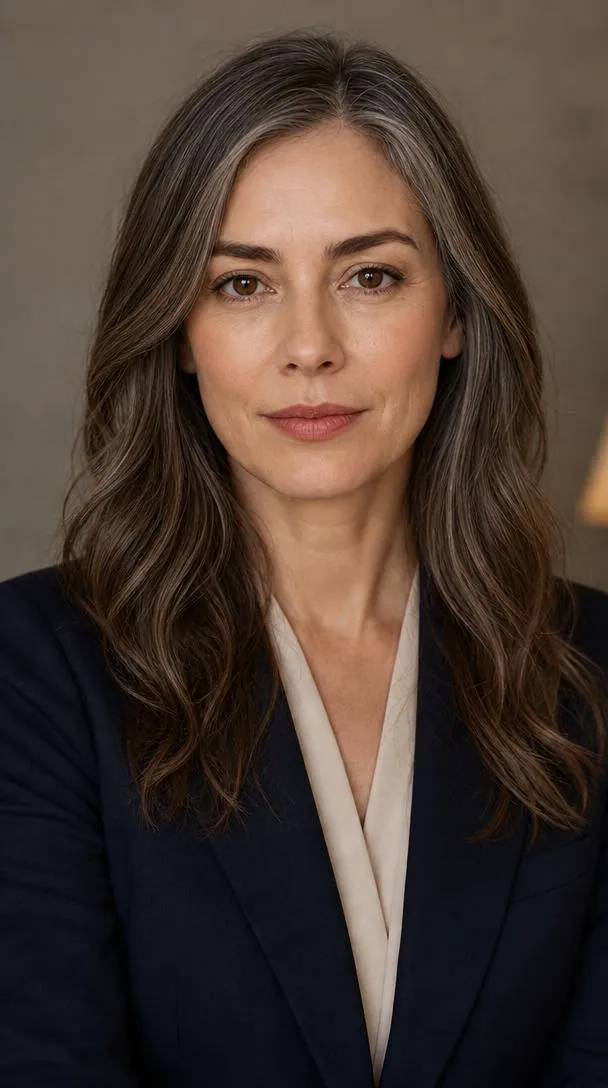
A 50-year-old with subtle wrinkles and graying hair, dressed in a navy blazer under warm indoor light. The aging stays restrained, so the eyes and face shape still read as the same person.
Create a realistic Age 50 portrait using the uploaded reference image as the exact identity reference. Show the same person with subtle wrinkles, natural mature beauty, slightly graying hair, and confident eyes. Elegant blazer or classic outfit, warm indoor portrait lighting, photorealistic DSLR, 9:16 vertical, 8K.
7. Silver hair at age 75
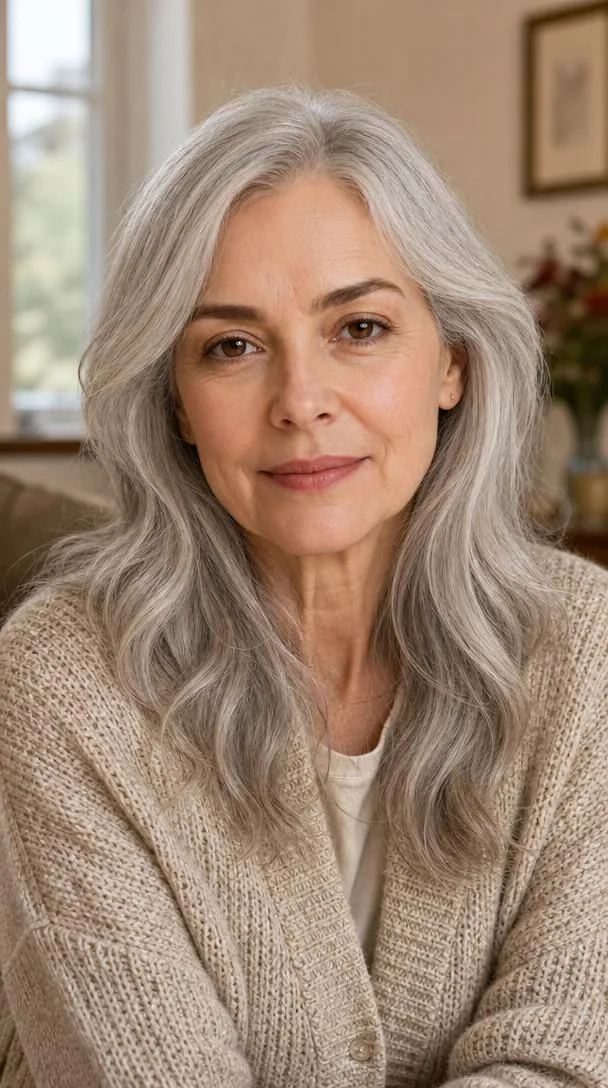
A 75-year-old with long silver hair, gentle wrinkles and a kind smile in a knitted cardigan, set in a cozy home interior. Natural daylight keeps the skin texture realistic without heavy shadows.
Create a realistic Age 75 senior portrait** using the uploaded reference image as the exact identity reference. Show the same person as a graceful elderly adult with silver hair, gentle wrinkles, kind smile, and wise expression. Soft knitted clothing, cozy home interior, natural daylight, photorealistic DSLR, 9:16 vertical, 8K.
8. White hair at age 90
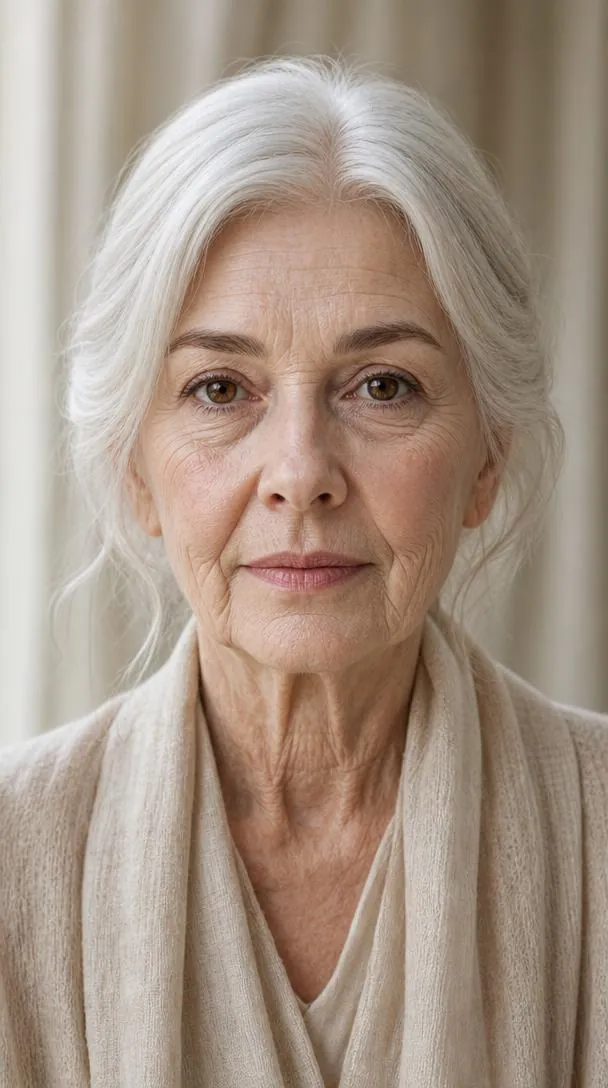
A 90-year-old with white hair, deeper wrinkles and bright eyes in cream clothing by soft window light. The plain background and direct gaze keep attention on the face.
Create a realistic Age 90 portrait using the uploaded reference image as the exact identity reference. Show the same person with white hair, deeper facial wrinkles, bright expressive eyes, and peaceful dignity. Neutral cream clothing, soft window light, realistic skin texture, photorealistic DSLR portrait, 9:16 vertical, 8K.
9. Centenarian at age 100
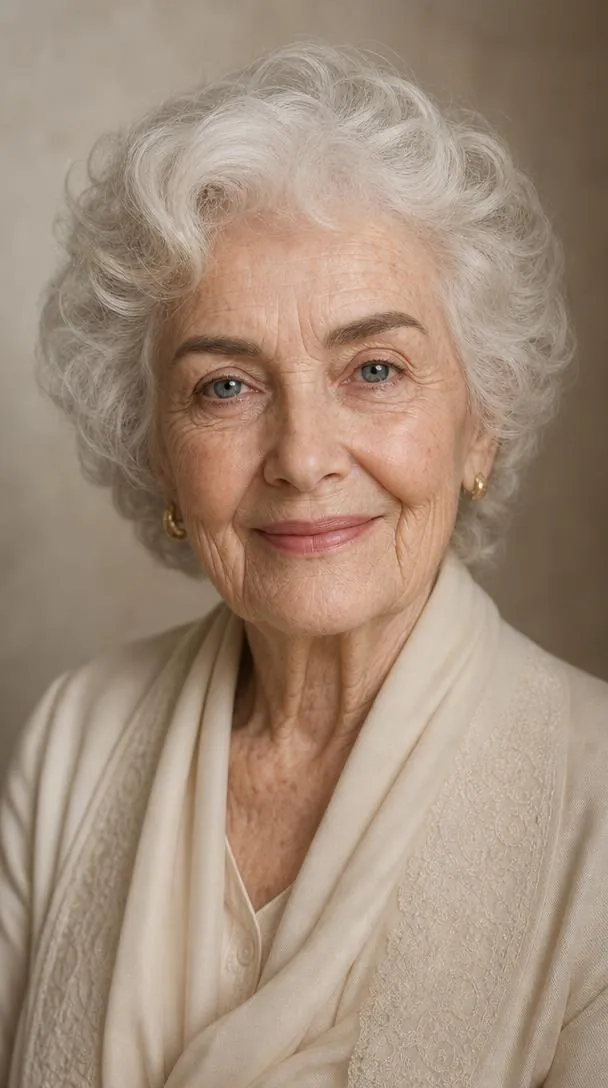
A 100-year-old with white curly hair, fine wrinkles and a warm, peaceful smile in an elegant cream outfit. Soft cinematic light and a timeless composition close out the series.
Create a realistic Age 100 centenarian portrait using the uploaded reference image as the exact identity reference. Show the same person as a 100-year-old with naturally aged facial features, white curly hair, fine wrinkles, gentle blue/bright eyes, and a warm peaceful smile. Elegant cream outfit, timeless portrait composition, soft cinematic lighting, ultra-realistic skin texture, photorealistic DSLR, 9:16 vertical, 8K.
How to use these templates in Reshot AI
- Open Reshot AI on iPhone and find the Years In Frame category on the home screen.
- Pick a template. Choose a clear, front-facing selfie with good light; it is the reference for your face.
- Generate. Results arrive in the app’s History, so you can come back for them later.
- Want a different expression in the result? Open it in the Face Editor and add a smile, open closed eyes, or turn the head.
Frequently asked questions
Will the result look like me?
Each template uses your photo as the reference and describes the look, not a new face. Clear, front-facing photos with even light give the closest match.
Can I use these prompts outside Reshot AI?
Yes. The copy button gives you the full prompt; it works in any image tool that accepts a reference photo. Results will differ by model.
Is Reshot AI free?
The app is free to download. Generating templates uses credits or a Premium subscription; details are in the app.
Try Years In Frame in Reshot AI
Download Reshot AI, pick a template, choose a selfie.
⬇ Download on the App Store