AI face enhancer prompts: 11 retouching fixes for your portrait photos
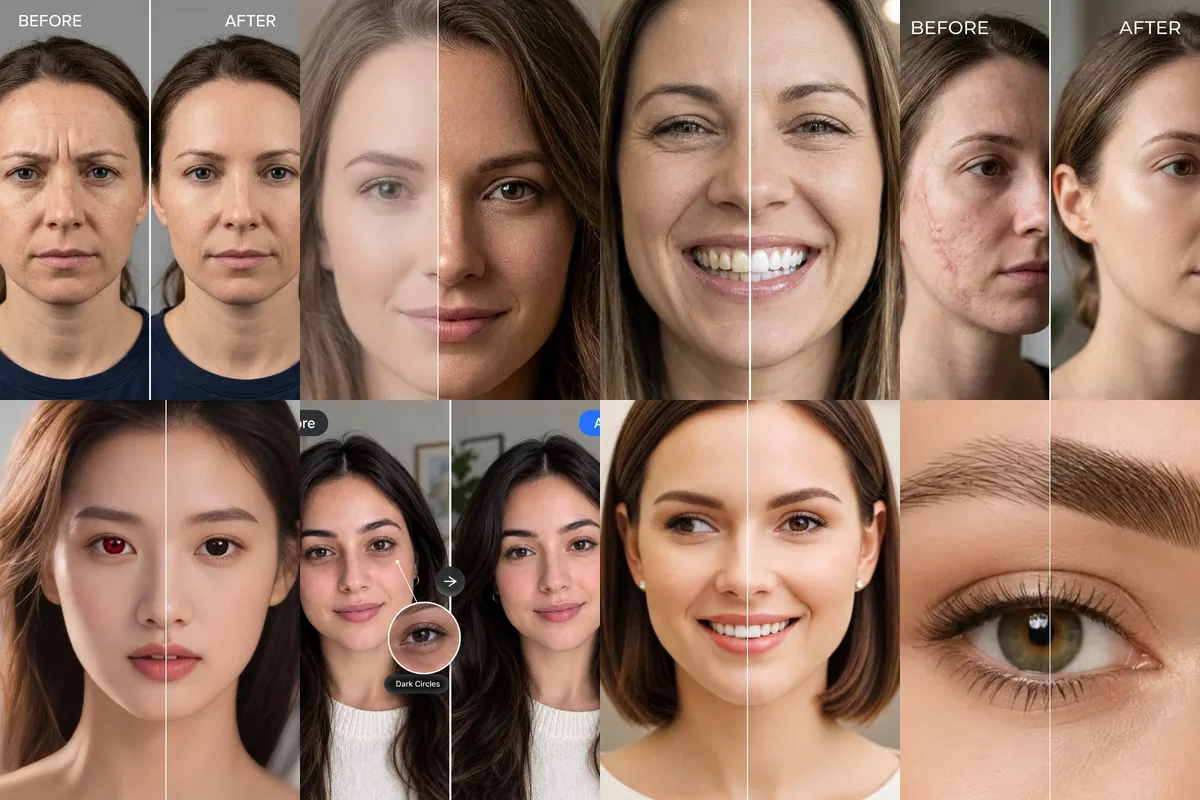
This set is not about costumes or new scenes. Each prompt fixes one thing in a photo you already have, such as frown lines, red-eye, a scar, braces, under-eye shadows or a soft, blurry shot, while the rest of the picture stays as it was.
Every fix is a Reshot AI template you can open with the photo you want to edit, or you can copy the prompt into another tool. The sample images show before and after halves so you can see what each edit targets.
How these templates use your photo
Each template starts from a photo you pick. The prompt tells the model what to change, and your photo is the reference for everything else. Clear, front-facing photos with even light give the closest match.
1. Smooth frown lines
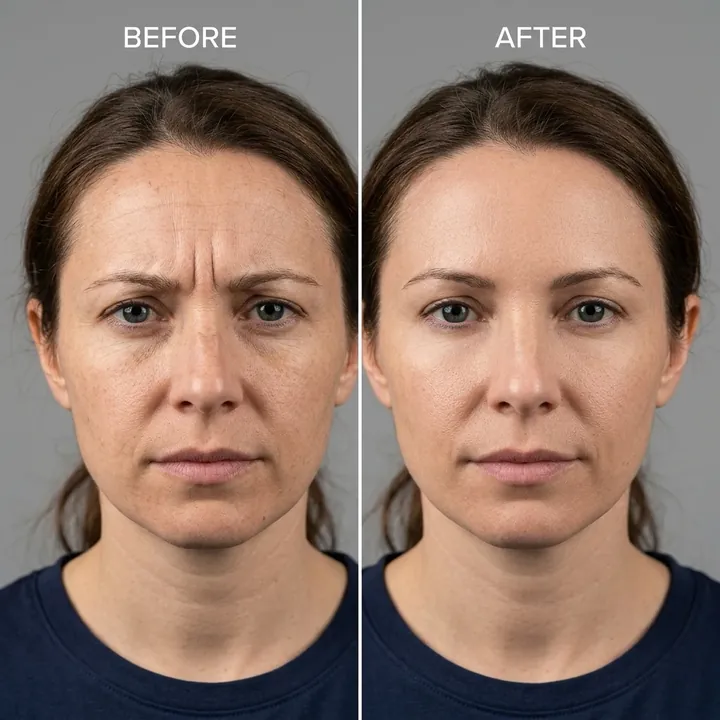
Softens the vertical 11 lines between the eyebrows and tense creases across the forehead. Pose, expression, hair, clothing and background are held to the original photo.
Use the uploaded photo as the strict reference for identity, composition, pose, facial structure, expression, hairstyle, clothing, and background. Perform natural, seamless AI frown line removal and forehead smoothing on the subject: 1. Frown Line Elimination: Detect and completely erase deep vertical glabellar frown lines ("11" lines between the eyebrows), brow furrow creases, and tense forehead wrinkles. 2. Natural Forehead Rejuvenation: Smooth and relax the brow area and forehead skin to create a refreshed, calm, youthful, and naturally softened appearance without altering the natural facial expression. 3. Realistic Micro-Texture Preservation: Maintain authentic human skin pores, delicate natural forehead micro-textures, and realistic specular lighting without creating a flat, airbrushed, plastic, or frozen look. 4. Brow & Identity Fidelity: Strictly preserve the original natural eyebrow shape, eye contour, eyelashes, facial proportions, and 8K photographic quality with 100% precision.
2. Restore natural skin texture
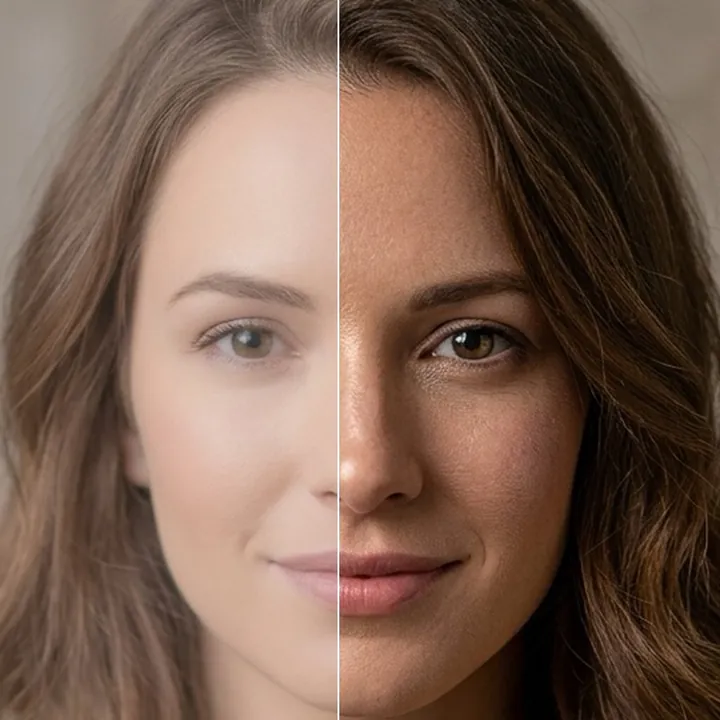
Replaces a plastic or airbrushed look with real skin detail such as pores and fine texture, so the photo reads as a raw camera shot. Composition, pose and identity are kept from the upload.
Use the uploaded photo as the strict reference for identity, composition, pose, facial structure, expression, hairstyle, clothing, and background. Transform this image into an ultra-photorealistic, authentic raw photographic masterpiece. Replace any plastic, artificial, CGI, airbrushed, or overly smoothed appearance with real human physical details: 1. Skin Realism: Add natural human skin micro-textures, delicate skin pores, natural subtle peach fuzz, realistic specular skin highlights, natural skin translucency, and authentic subtle skin depth. 2. Eyes & Facial Features: Render lifelike specular catchlights and depth in the iris, natural moisture, defined individual eyelashes, natural eyebrow hairs, and authentic lip texture. 3. Hair & Clothing: Enhance hair to show crisp individual hair strands with natural light scattering. Render realistic fabric weave, micro-textures, and natural fold shadows on clothing. 4. Photographic Quality: Authentic 85mm f/1.4 portrait lens photography, soft natural bokeh, realistic optical depth of field, natural studio lighting, true-to-life color grading, crystal-clear 8K hyperrealistic resolution. Strictly maintain the original identity, facial likeness, age, ethnicity, and framing of the subject with 100% accuracy.
3. Restore an old portrait
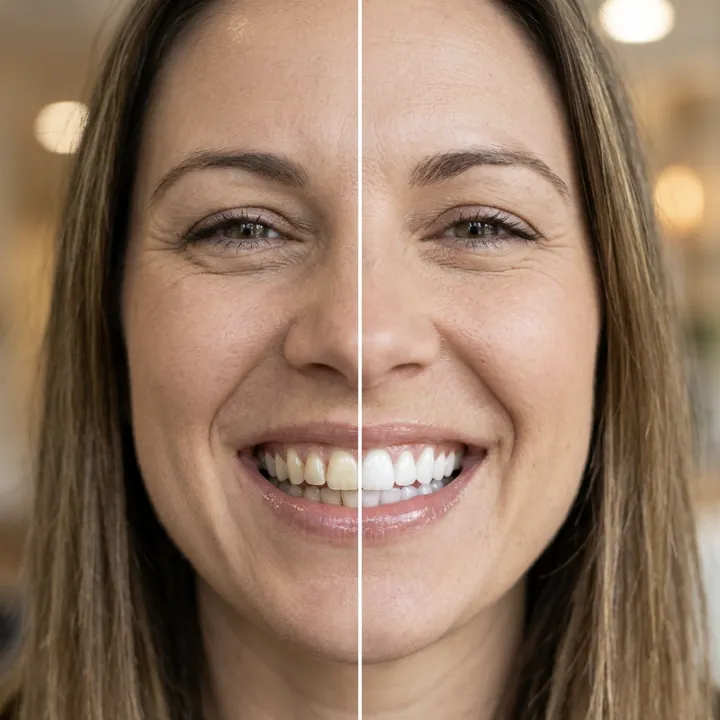
Cleans up a vintage portrait by removing noise, scratches and blur and sharpening the face, eyes and skin. Lighting and contrast are adjusted gently, and the background stays consistent with the original.
Restore this vintage portrait photo. Focus on enhancing the face, eyes, and skin details while preserving identity. Remove noise, scratches, and blur. Improve lighting and contrast naturally. Keep the background consistent and realistic.
4. Remove facial scars
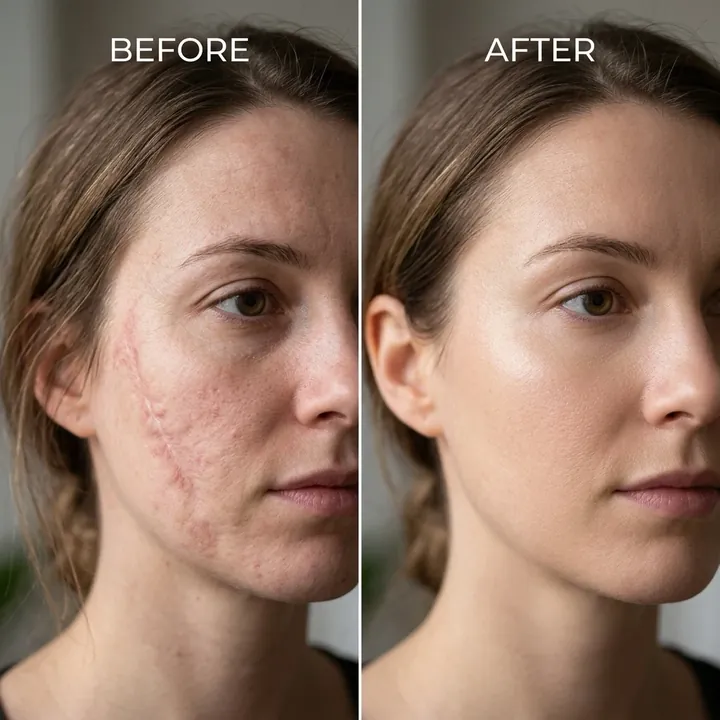
Erases scars, acne marks, scratches and skin indentations and fills in matching skin. Facial structure, expression, hairstyle and background stay as they were in the upload.
Use the uploaded photo as the strict reference for identity, composition, pose, facial structure, expression, hairstyle, clothing, and background. Perform flawless, seamless AI scar removal on the subject's face and skin: 1. Scar Elimination: Detect and completely erase all surgical scars, injury marks, deep scratches, acne scars, keloids, burns, and skin indentations. 2. Natural Skin Restoration: Seamlessly reconstruct the scarred areas with healthy, smooth, natural skin texture that perfectly matches the surrounding skin tone, pigment, pore structure, and natural specular lighting. 3. Realistic Micro-Texture: Maintain authentic skin pores, delicate micro-details, and realistic subsurface scattering without creating an unnatural plastic, airbrushed, or blurry patch. 4. Identity & Quality Preservation: Strictly preserve the exact facial likeness, eye details, nose, lips, hair, clothing, lighting, and overall image resolution with 100% fidelity.
5. Fix red-eye from flash
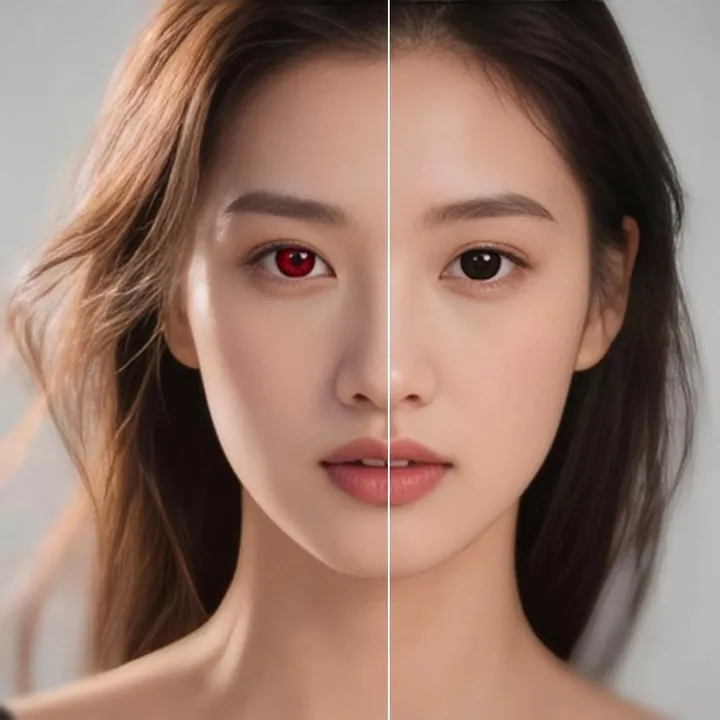
Corrects only the red or pink glare in the pupils and restores a natural eye. Eye color, iris detail, skin tone, hair and the rest of the photo are left alone.
Remove the red-eye effect from the person’s eyes in the provided photo. Correct only the red/pink reflection in the pupils and restore the eyes to a natural, realistic appearance. Preserve the original eye color, pupil shape, iris details, facial expression, skin tone, face shape, lighting, hair, clothing, background, and overall image quality. Do not change the person’s identity or alter any other part of the image. The result should look like a naturally captured photo with the red-eye effect removed.
6. Brighten dark circles
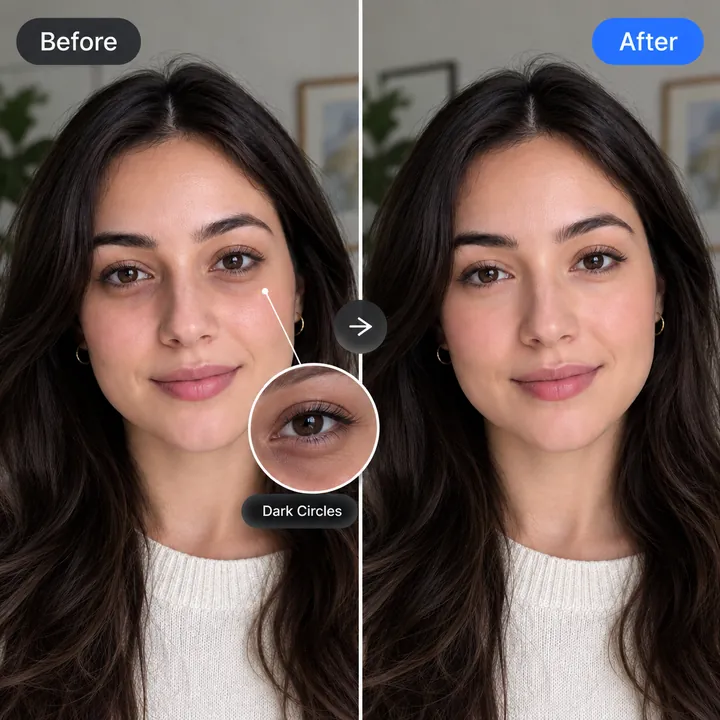
Lightens under-eye shadows, discoloration and hollows so the eyes look more rested. Expression, eye shape and the original background stay unchanged.
Use the uploaded photo as the strict reference for identity, composition, pose, facial structure, expression, hairstyle, clothing, and background. Perform advanced, natural AI dark circle removal and under-eye revitalization on the subject's face: 1. Dark Circle & Shadow Elimination: Detect and completely erase all dark circles, blue/purple/brown hyperpigmentation, under-eye hollows, fatigue shadows, and puffy eye bags. 2. Natural Skin Brightening: Gently brighten and smooth the under-eye area to match the subject's natural, healthy, well-rested skin tone and natural complexion radiance. 3. Realistic Micro-Texture Preservation: Maintain authentic skin pores, natural delicate skin folds, fine micro-details, and realistic specular lighting under the eyes without creating a flat, airbrushed, plastic, or blurry look. 4. Eye & Identity Fidelity: Preserve the exact shape of the eyes, iris color, catchlights, eyelashes, eyebrows, natural facial expressions, and overall 8K photographic quality with 100% precision.
7. Turn the gaze to camera
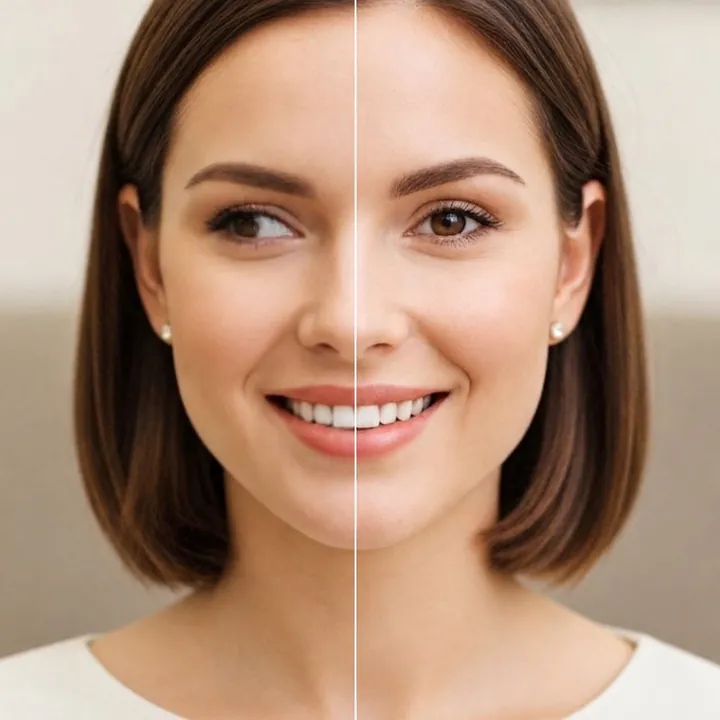
Moves the eyes so the person looks toward the lens, with both eyes kept symmetrical. Only the gaze changes, while face shape, hairstyle, lighting and background stay put.
Fix the person’s eye direction so they appear to be looking naturally toward the camera. Preserve the person’s identity, facial features, eye shape, iris color, skin texture, lighting, and overall expression. Adjust only the eye gaze and keep both eyes symmetrical and realistic. Do not change the face shape, hairstyle, background, or any other part of the image.
8. Fuller, defined eyebrows
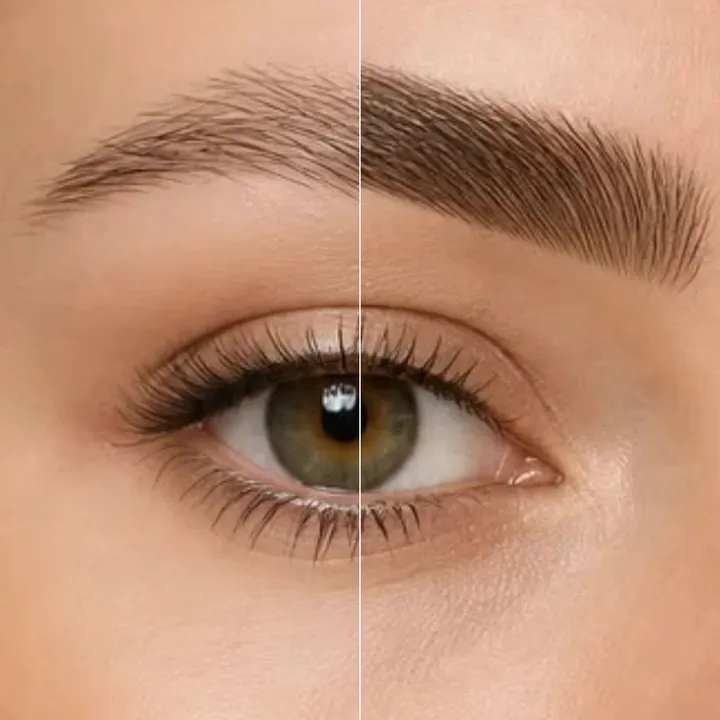
Gently refines brow shape, density and symmetry with realistic individual hairs. The original brow style is kept, and the eyes, forehead and expression are not touched.
Apply a subtle, natural-looking eyebrow enhancement to the provided photo. Improve the eyebrows by gently refining their shape, symmetry, density, and definition while preserving the person's original eyebrow style and facial identity. Keep individual hair strands realistic and natural-looking. Do not change the eyes, forehead, face shape, skin tone, expression, hairstyle, or any other facial features. Avoid overly dark, thick, sharp, or artificial-looking eyebrows. The final result should look like a professional but natural eyebrow grooming/filter effect.
9. Editorial skin retouch
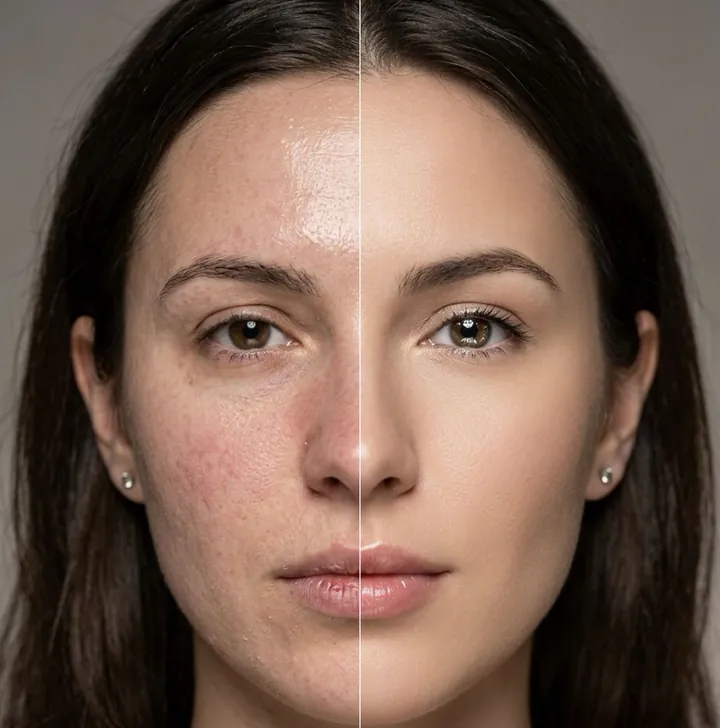
Evens out redness and blotchy patches and clears blemishes for a polished magazine-style finish. Identity, pose, hairstyle, clothing and background are held to the uploaded photo.
Use the uploaded photo as the strict reference for identity, composition, pose, facial structure, expression, hairstyle, clothing, and background. Perform high-end luxury editorial AI photo retouching and beauty enhancement on the subject: 1. Complexion Balancing & Blemish Clearing: Even out skin tone, neutralize facial redness, blotchiness, and hyperpigmentation. Eliminate blemishes, acne, minor bumps, and unwanted oily shine while maintaining natural healthy skin radiance. 2. Authentic Micro-Texture Retention: Preserve genuine skin pores, delicate epidermal grain, and natural highlights. Do NOT apply heavy airbrushing, blurring, or plastic smoothing filters. 3. Eye & Lip Refinement: Enhance eye clarity and pupil catchlights for a vibrant, alert look. Hydrate and smooth dry lips with a delicate, natural satin sheen. 4. Lighting & Color Grading: Apply soft studio photography lighting and professional color grading with rich tonal contrast. 5. Identity Fidelity: Strictly preserve 100% exact facial likeness, bone structure, eye shape, eyebrows, smile, and expression with razor-sharp 8K resolution.
10. Remove braces from a smile
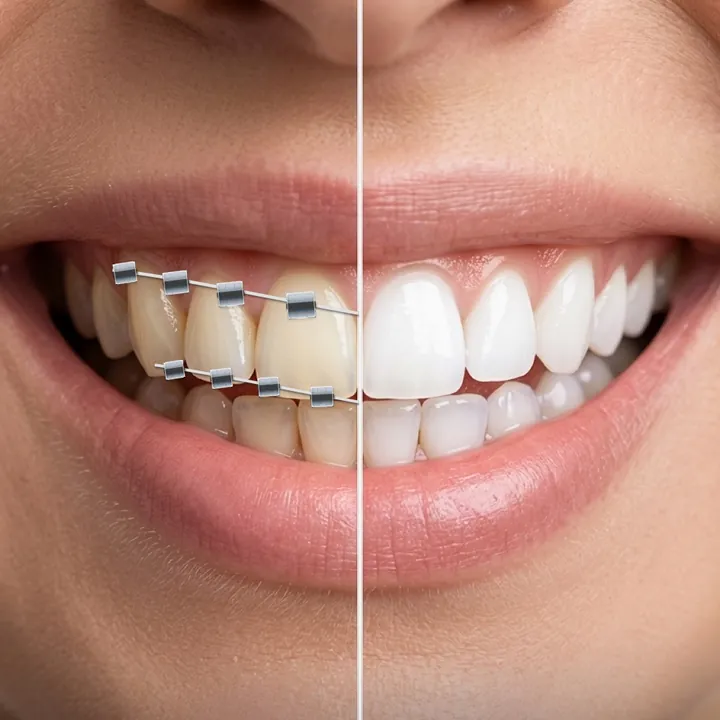
Takes out brackets and wires and shows clean, natural teeth. Tooth shape, the smile, lips and skin texture stay as in the original.
Remove all braces brackets and orthodontic wires from the person's teeth. Restore the teeth to a natural, clean appearance while preserving the exact original face, teeth shape, smile, lips, skin texture, lighting, and facial identity. Do not change the person's facial features or expression. Make the result photorealistic and seamless, with no visible traces of the braces or wires.
11. Sharpen a blurry photo
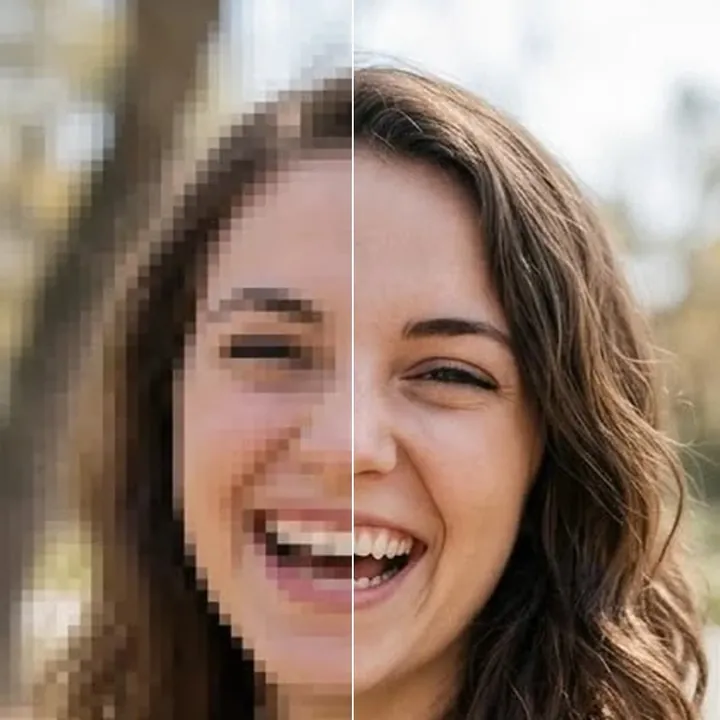
Reduces mild motion blur and softness and brings back detail in the face, hair, eyes and clothing. The prompt asks for no halos or over-sharpening, and lighting and colors stay the same.
Enhance the image by removing mild blur and restoring natural sharpness and clarity. Recover fine details in the face, hair, eyes, skin texture, and clothing while preserving the person's exact identity, facial features, proportions, and original appearance. Reduce motion blur and softness without creating artificial details, halos, or an over-sharpened look. Keep the lighting, colors, and overall composition unchanged. Make the result clean, natural, and photorealistic.
How to use these templates in Reshot AI
- Open Reshot AI on iPhone and find the AI Face Enhancer category on the home screen.
- Pick a template. Choose a clear, front-facing selfie with good light; it is the reference for your face.
- Generate. Results arrive in the app’s History, so you can come back for them later.
- Want a different expression in the result? Open it in the Face Editor and add a smile, open closed eyes, or turn the head.
Frequently asked questions
Will the result look like me?
Each template uses your photo as the reference and describes the look, not a new face. Clear, front-facing photos with even light give the closest match.
Can I use these prompts outside Reshot AI?
Yes. The copy button gives you the full prompt; it works in any image tool that accepts a reference photo. Results will differ by model.
Is Reshot AI free?
The app is free to download. Generating templates uses credits or a Premium subscription; details are in the app.
Try AI Face Enhancer in Reshot AI
Download Reshot AI, pick a template, choose a selfie.
⬇ Download on the App Store