Ghosted motion portrait prompts: double exposure and long-exposure blur
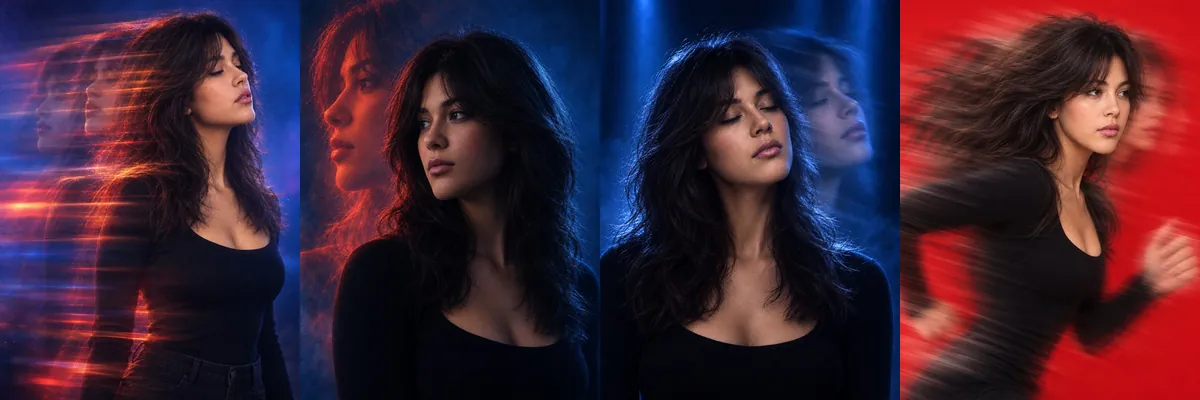
These looks borrow from long-exposure fashion photography, where a moving subject leaves translucent copies of itself across the frame. They suit album covers, profile pictures and posts where a plain portrait feels too still.
Each prompt is a Reshot AI template. Open it with a selfie in the app, or copy the text into another image generator.
How these templates use your photo
Each template starts from a photo you pick. The prompt tells the model what to change, and your photo is the reference for everything else. Clear, front-facing photos with even light give the closest match.
1. Blue and red light trails
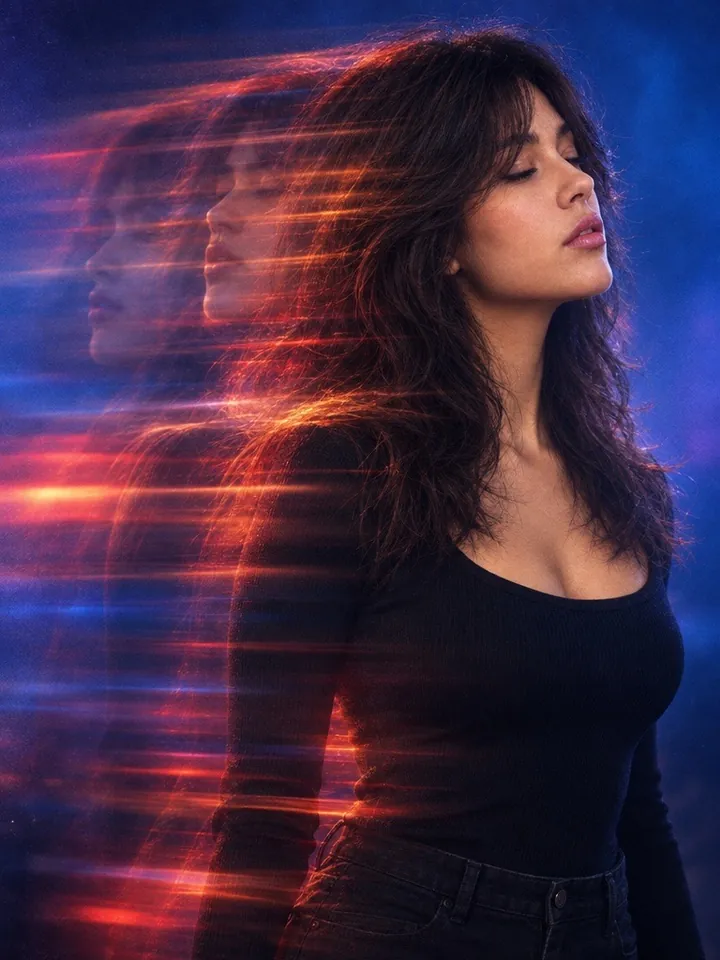
A side-profile portrait with eyes closed and chin raised, with horizontal ghost trails in red, orange and magenta streaking across a blue-purple background. The prompt keeps the face relatively sharp while the motion smears the hair and body.
Use the uploaded image as the identity and appearance reference. Create a cinematic 3:4 portrait of the person shown, framed from the upper chest to just below the waist and positioned slightly right of center. Preserve the person’s recognizable facial features, hairstyle, skin tone, body proportions, clothing, and overall identity. Show the subject facing toward the right side of the frame in a strong side-profile or three-quarter profile. Tilt the chin slightly upward, with the eyes closed and lips naturally relaxed or slightly parted, creating a calm, introspective expression. Keep the face relatively sharp, detailed, and recognizable. Apply an intense long-exposure double-exposure effect with translucent horizontal ghost trails extending mainly from the left side of the subject’s head and body toward the right, as if the subject’s movement is being dragged horizontally. Use layered directional motion blur, soft smeared light trails, and semi-transparent repeated silhouettes—not ordinary background blur. Use deep blue and cobalt base tones with vivid red, crimson, magenta, orange, and warm amber streaks. Add a blue-purple gradient background, a dark lower frame, cinematic atmospheric haze, subtle film grain, glowing highlights, and high contrast. Create a surreal, polished fashion-editorial photograph while keeping the subject’s identity, natural appearance, gender presentation, and distinctive features consistent with the uploaded image. Adapt the pose and styling naturally to the person shown.
2. Neon double profile
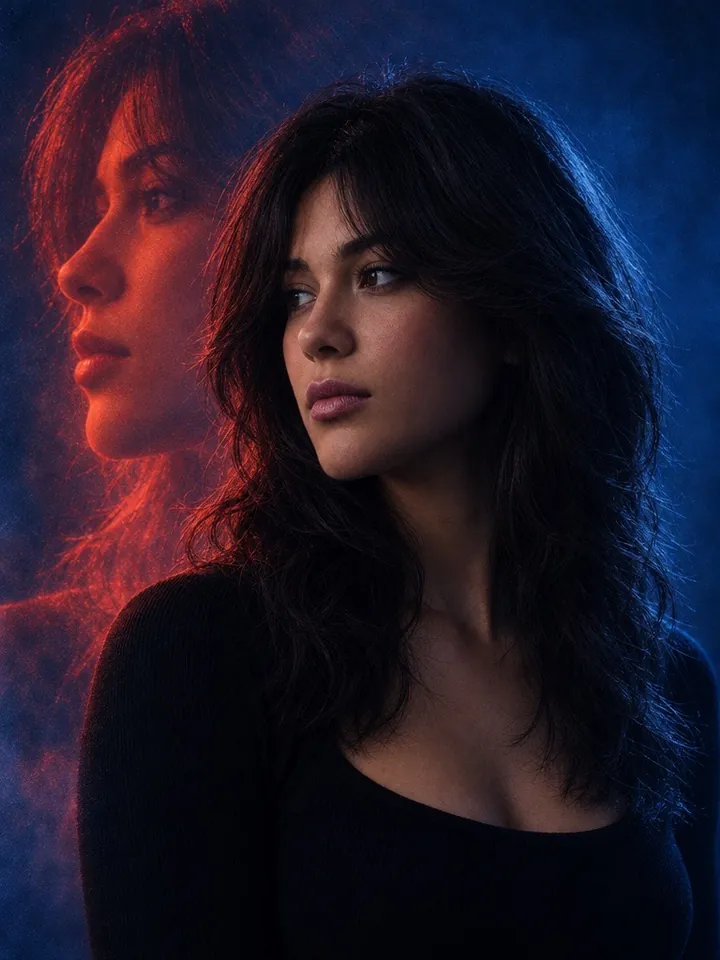
A chest-up three-quarter profile in deep blue light, with a large translucent copy of the same profile glowing red-orange behind it. Your clothing stays close to the original photo, and the duplicate is asked to stay recognizable as you.
Use the uploaded image as the identity and appearance reference. Create a photorealistic, cinematic double-exposure portrait of the person shown, framed from the chest up in a vertical 3:4 composition. Preserve their recognizable facial features, hairstyle, skin tone, body proportions, gender presentation, and overall identity. Position the subject in a slight side three-quarter profile, with the face turned toward the left and the torso angled away from the camera—not front-facing. Keep the subject’s clothing consistent with the uploaded image unless otherwise specified, while using a dark, minimalist styling suitable for the scene. Behind the subject on the left, create a large, translucent duplicate profile of the same person. The duplicate must remain clearly recognizable and aligned as a seamless ghosted double exposure, glowing with an intense red-orange rim light. Use deep blue low-key lighting, with the primary face mostly in shadow. Add a deep electric-blue background, subtle atmospheric haze, soft film grain, high contrast, and moody editorial photography styling. Apply dramatic neon blue-and-red color grading while maintaining realistic skin texture and facial identity. The final image should feel cinematic, mysterious, polished, and emotionally atmospheric, with a seamless double-exposure effect. Adapt the styling naturally to the person in the uploaded image without changing their identity or gender presentation.
3. Blue shadow long exposure
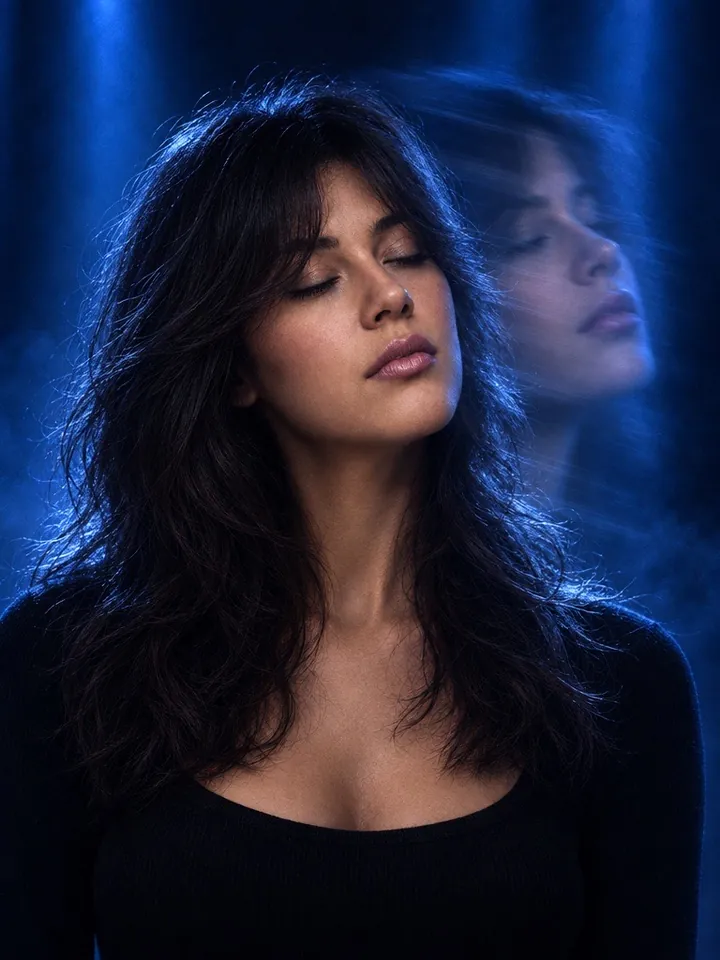
A chest-up portrait with the head tilted back and eyes closed, a soft duplicate of the face trailing up and to the right under cobalt light beams. The main face stays sharp and slightly left of center while the copy is blurred.
Transform the uploaded image into a cinematic 3:4 portrait while preserving the subject’s identity, facial features, hairstyle, skin tone, apparent age, gender presentation, and overall likeness. Frame the subject chest-up, with the body mostly facing the camera while the head turns toward the RIGHT side of the image. The chin is slightly raised, the head tilted backward, and the eyes are completely closed. Keep the primary face sharp and positioned slightly left of center. Create a clear translucent long-exposure duplicate of the subject’s head and face trailing to the RIGHT and slightly upward behind the main face, producing a smooth ghosted double-exposure motion effect. The duplicate should remain recognizable but softly blurred and semi-transparent. Preserve or naturally adapt the subject’s clothing into a simple black or very dark top. Use a deep navy-black background with vertical soft cobalt-blue light beams, intense blue rim lighting, and subtle atmospheric haze. Keep most of the face in deep shadow while retaining realistic facial structure and texture. High-contrast moody editorial photography, rich monochromatic blue tones, cinematic lighting, subtle film grain, refined long-exposure effect, realistic skin texture, dramatic composition, premium fashion portrait, sharp main subject, atmospheric and sophisticated.
4. Red running motion blur
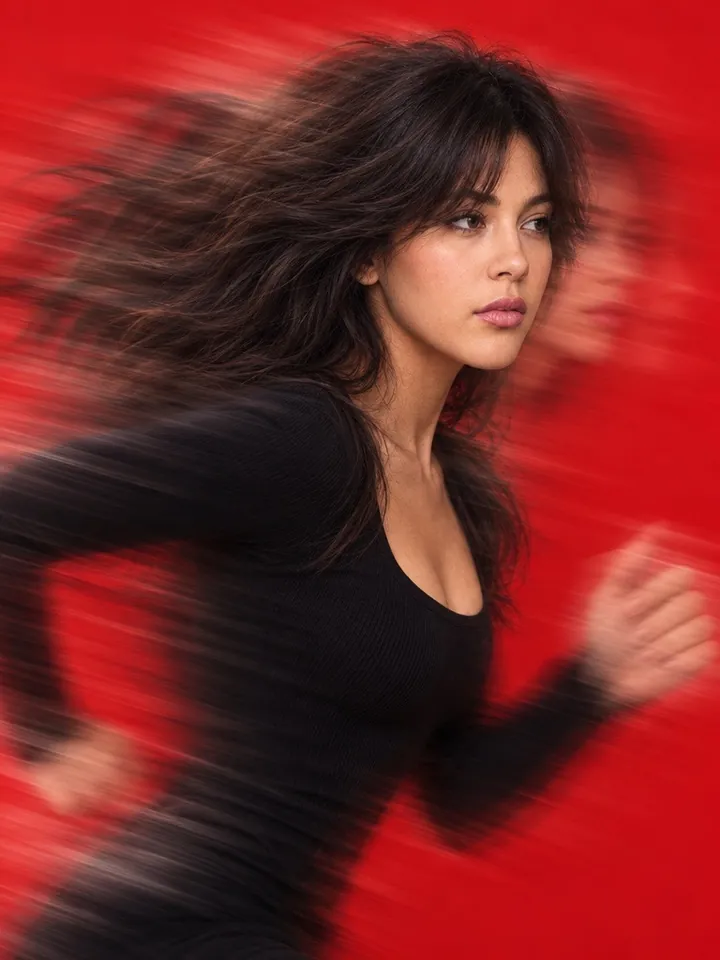
A side-on studio shot of you mid-run against a solid red background, with streaks pulling forward from the face and hands and back from the hair. The face is kept mostly sharp while the outer edges blur.
Use the uploaded image as the identity and appearance reference. Create a close-up studio fashion portrait of the person shown in the reference image, keeping their facial features, hairstyle, skin tone, body proportions, and overall identity recognizable. Show the subject from a side angle, framed from mid-torso up, captured in a dynamic running motion against a solid, vibrant red background. Preserve the subject’s clothing and distinctive visual details from the uploaded image unless otherwise specified. Add intense, symmetrical motion blur and directional streak effects radiating forward from the face and hands and backward from the torso and hair. Keep the face mostly sharp while heavily blurring the outer edges, creating a ghosted, trailing echo effect on both sides of the subject. Use soft, even studio lighting to illuminate the subject and maintain vivid colors. The final image should have a highly stylized, energetic fashion-photography aesthetic with strong motion blur, saturated color, dynamic movement, and a polished studio finish. Do not change the subject’s gender presentation, facial identity, hairstyle, or key clothing details. Adapt the pose and motion naturally to the person in the uploaded image.
How to use these templates in Reshot AI
- Open Reshot AI on iPhone and find the Ghosted Motion Portrait category on the home screen.
- Pick a template. Choose a clear, front-facing selfie with good light; it is the reference for your face.
- Generate. Results arrive in the app’s History, so you can come back for them later.
- Want a different expression in the result? Open it in the Face Editor and add a smile, open closed eyes, or turn the head.
Frequently asked questions
Will the result look like me?
Each template uses your photo as the reference and describes the look, not a new face. Clear, front-facing photos with even light give the closest match.
Can I use these prompts outside Reshot AI?
Yes. The copy button gives you the full prompt; it works in any image tool that accepts a reference photo. Results will differ by model.
Is Reshot AI free?
The app is free to download. Generating templates uses credits or a Premium subscription; details are in the app.
Try Ghosted Motion Portrait in Reshot AI
Download Reshot AI, pick a template, choose a selfie.
⬇ Download on the App Store