Halloween makeup filter: 9 AI prompts for vampire, skeleton, doll and ghost bride looks
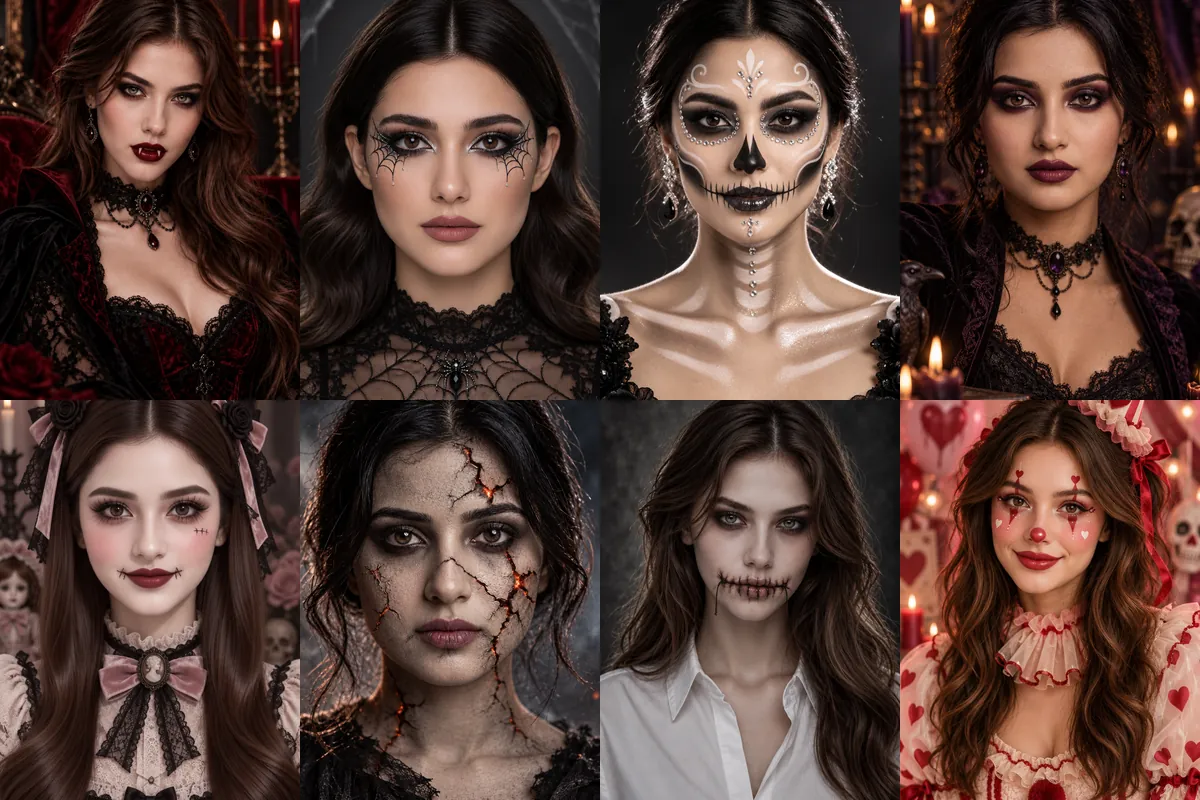
These prompts paint Halloween makeup onto your own face instead of swapping you into a full costume scene. They range from glam vampire and skeleton looks to stitched lips and cracked skin, so you can test a makeup idea before the party or post a spooky portrait without buying face paint.
Each one is a Reshot AI template you can open with a selfie, and you can also copy the prompt into another app. The edits work on the face and lighting, so close, front-facing photos give the makeup the most room.
How these templates use your photo
Each template starts from a photo you pick. The prompt tells the model what to change, and your photo is the reference for everything else. Clear, front-facing photos with even light give the closest match.
1. Glamorous vampire
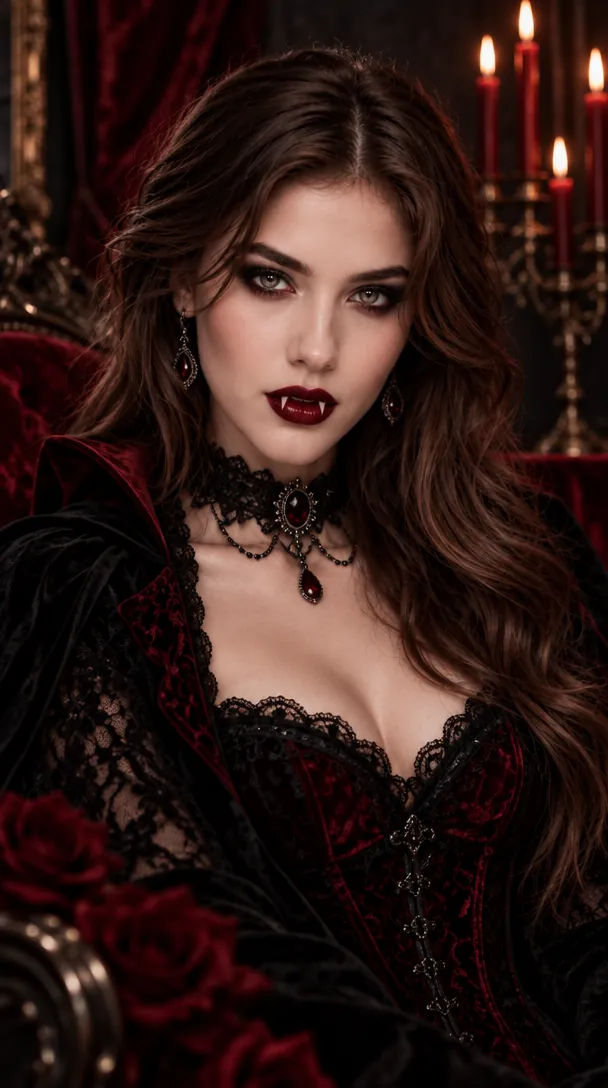
Pale porcelain skin, deep red lips, smoky black eyes and small fangs, set against black and crimson lace with candles behind. Low-key light sculpts the cheekbones while the eyes stay clearly lit.
Use the uploaded image as the subject and transform it into a glamorous vampire portrait with pale porcelain skin, deep red velvet lips, smoky black eyeshadow, subtle fangs, sculpted cheekbones, cinematic low-key lighting, a black and crimson color palette, glossy beauty-editorial texture, and a polished Halloween mood.
2. Spiderweb eye makeup
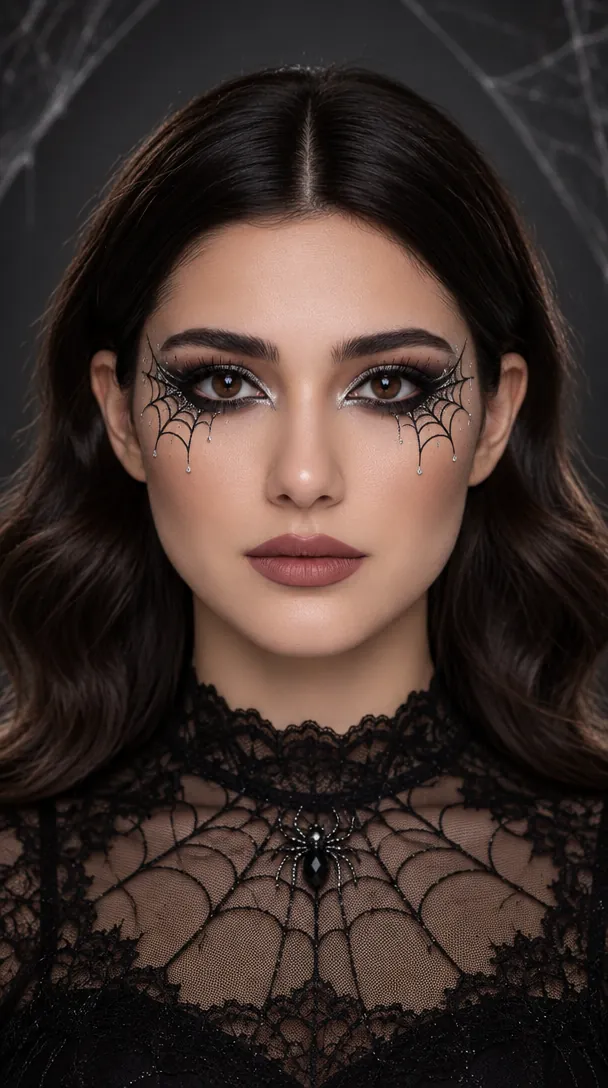
Black liner drawn into spiderwebs around both eyes with silver accents, sharp brows and soft contour. The rest of the skin stays clean so the web design reads clearly.
Use the uploaded image as the subject and add Halloween spiderweb eye makeup with precise black liner, metallic silver accents, defined lashes, sharp brows, soft contour, moody studio lighting, charcoal and silver tones, clean skin texture, and a stylish gothic-beauty finish perfect for social sharing.
3. Skeleton glam
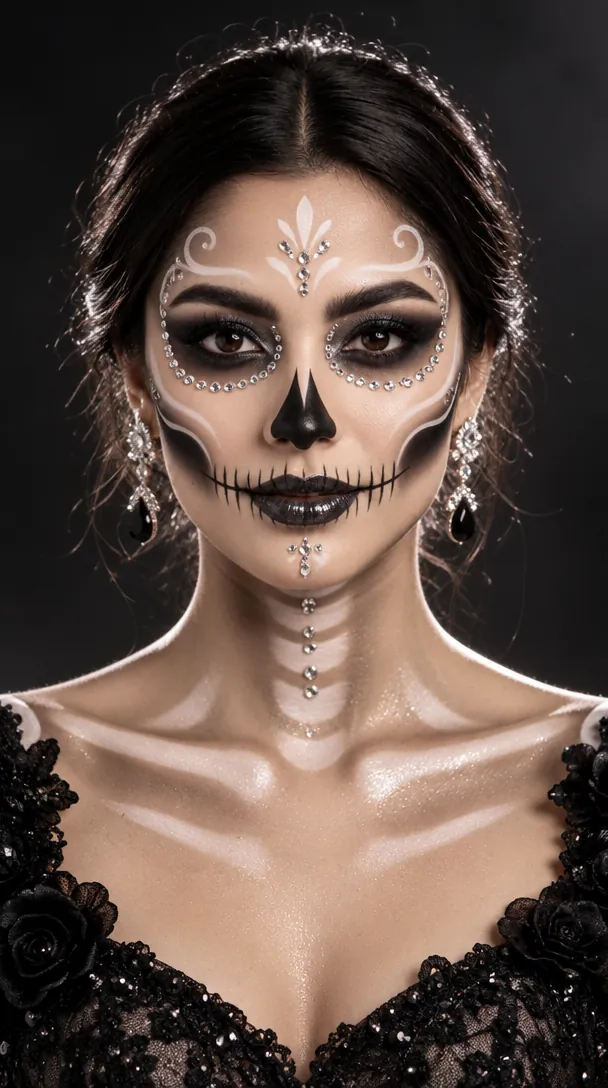
Skeleton-inspired face paint with white highlights, black hollows around the eyes and nose, and rhinestone details on a glossy finish. High-contrast studio light keeps the face shape visible under the paint.
Use the uploaded image as the subject and apply glamorous skeleton-inspired makeup with white face-paint highlights, black hollow contouring, glossy lips, rhinestone accents, luminous skin finish, high-contrast studio lighting, and a black-white-silver palette that feels spooky yet fashion-forward.
4. Dark witch beauty
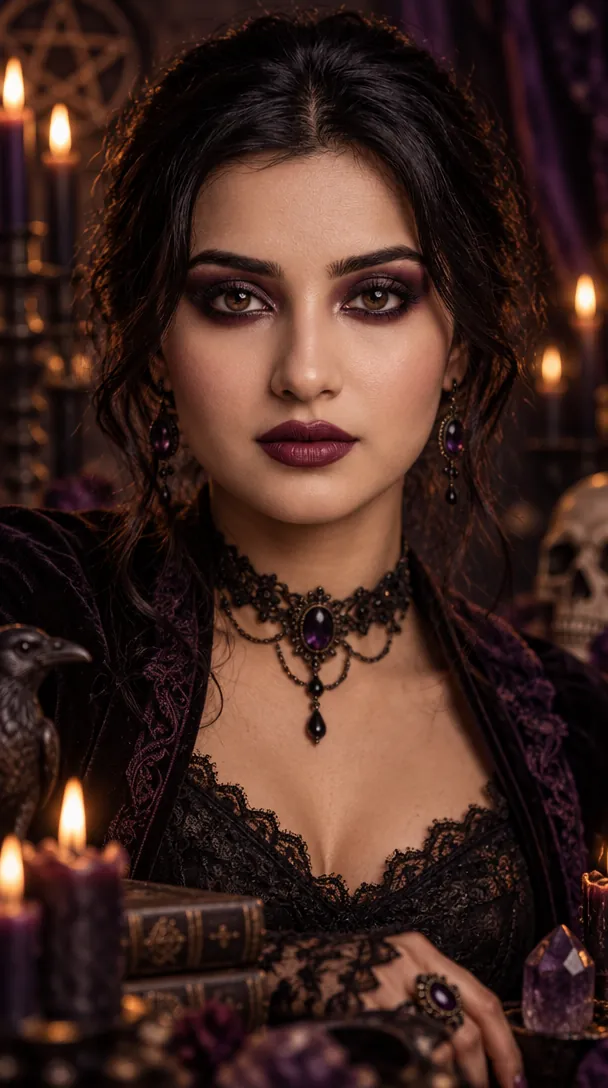
Smoky black and plum eyeshadow, berry lips and sharp contour in a candlelit room of purple and black tones. Subtle shimmer catches the light while the face stays the focus.
Use the uploaded image as the subject and transform it into a dark witch beauty look with smoky black and plum eyeshadow, sharp contour, deep berry lips, subtle shimmer, mystical shadowing, moody candlelit atmosphere, and rich purple-black tones for an elegant gothic Halloween portrait.
5. Gothic doll
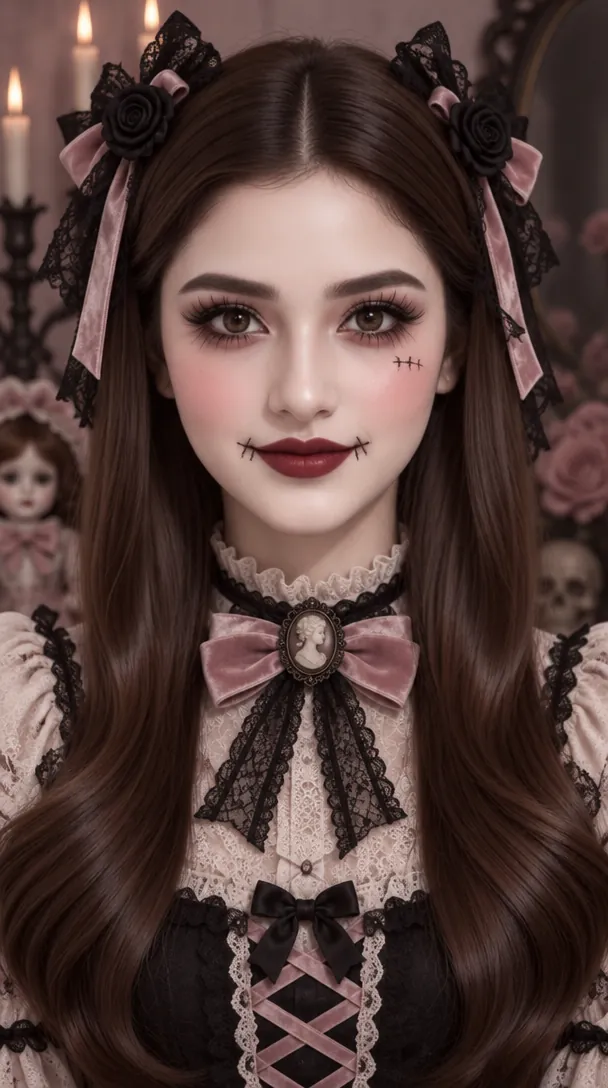
Porcelain skin, oversized lashes, rosy cheeks, dark lips and tiny stitch marks, with pink bows and lace in the hair. The soft pink, ivory and black palette keeps it more cute than gory.
Use the uploaded image as the subject and create a spooky gothic doll makeup style with porcelain skin, oversized lashes, rosy cheeks, dark lips, tiny stitched accents, delicate symmetry, soft eerie lighting, and a muted pink, ivory, and black palette that feels cute and haunting.
6. Cracked skin with ember glow
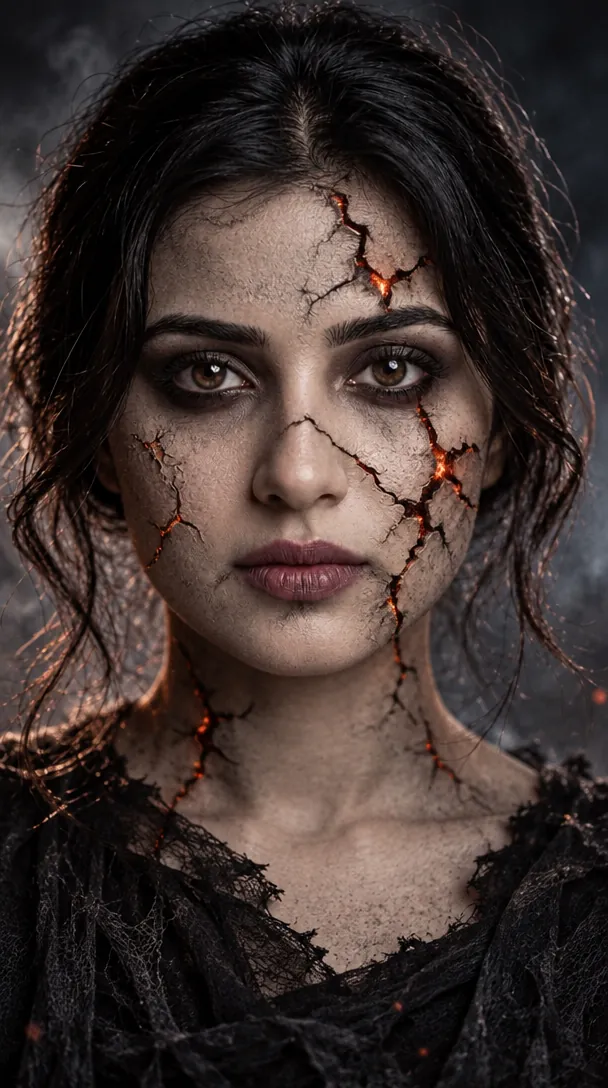
Deep fissures across the face that glow faintly orange from inside, paired with smoky eyes and cool gray tones. The prompt asks to keep facial identity under the effect.
Use the uploaded image as the subject and add a dramatic cracked-skin Halloween effect with realistic fissures across the face, subtle glowing depth, smoky eye makeup, cool gray undertones, strong shadow separation, and a cinematic horror-beauty finish that still preserves facial identity.
7. Stitched mouth
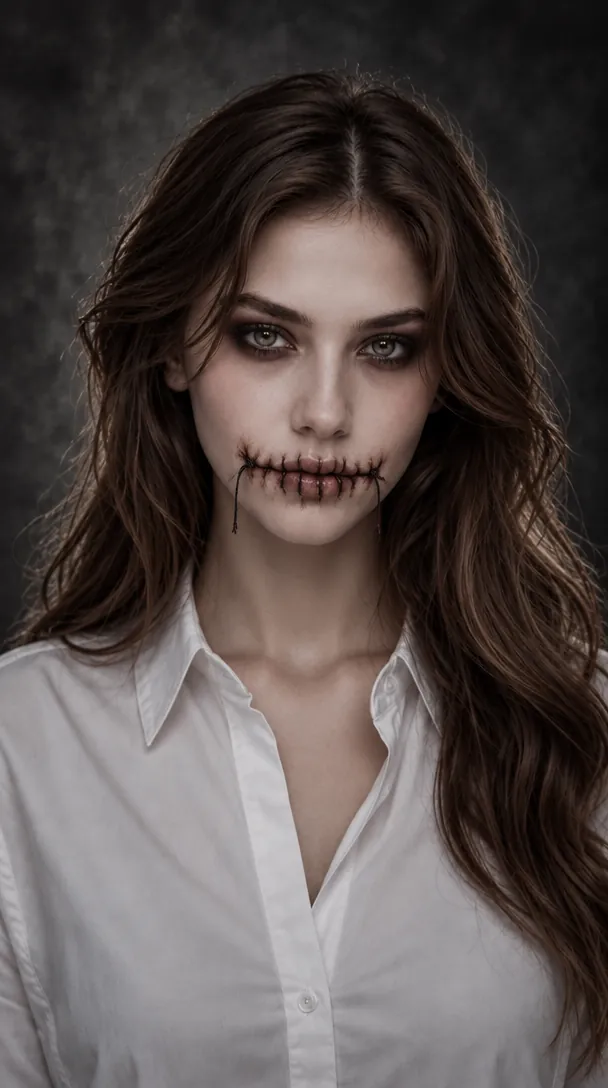
Realistic thread stitches across the lips, a pale complexion and dark smoky eyes in charcoal and ivory tones. The sample keeps a plain white shirt and dark backdrop so the stitching stands out.
Use the uploaded image as the subject and apply stitched-mouth Halloween makeup with realistic thread details, pale complexion, dark smoky eyes, subtle blush reduction, eerie cinematic lighting, charcoal and ivory tones, and a polished scary-beauty aesthetic designed for a striking portrait edit.
8. Cute clown
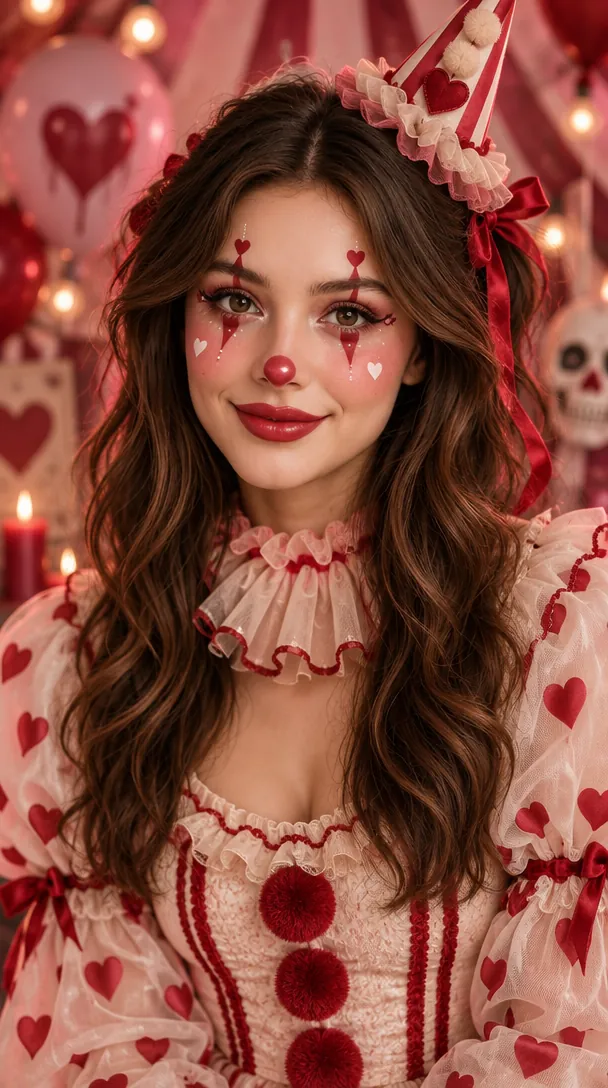
Heart details on the cheeks, glossy red lips, pastel blush and playful liner, with a ruffled collar and a pink and red set. Diffused light keeps the look bright and friendly.
Use the uploaded image as the subject and turn it into a cute clown Halloween style with heart details, glossy red lips, pastel blush, soft white face accents, playful eyeliner, bright yet spooky mood, diffused lighting, and a pink, red, and cream palette for a social-ready transformation.
9. Ghost bride
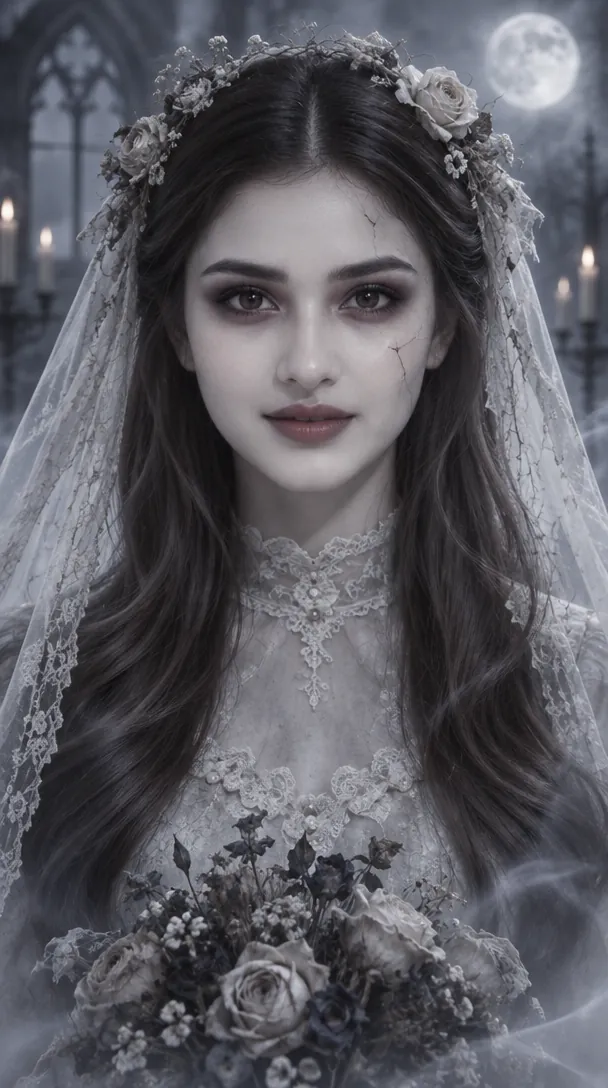
Pale, translucent skin, dark eyes and muted lips under a lace veil and flower crown, in a misty moonlit graveyard. The silver-blue palette is desaturated, and the faint facial cracks stay subtle.
Use the uploaded image as the subject and transform it into a ghost bride portrait with pale translucent skin, dark romantic eyes, muted lips, vintage bridal styling, subtle facial cracks, soft mist, cool moonlit lighting, and a desaturated silver-blue palette for an elegant haunted mood.
How to use these templates in Reshot AI
- Open Reshot AI on iPhone and find the Halloween Make Up Filter category on the home screen.
- Pick a template. Choose a clear, front-facing selfie with good light; it is the reference for your face.
- Generate. Results arrive in the app’s History, so you can come back for them later.
- Want a different expression in the result? Open it in the Face Editor and add a smile, open closed eyes, or turn the head.
Frequently asked questions
Will the result look like me?
Each template uses your photo as the reference and describes the look, not a new face. Clear, front-facing photos with even light give the closest match.
Can I use these prompts outside Reshot AI?
Yes. The copy button gives you the full prompt; it works in any image tool that accepts a reference photo. Results will differ by model.
Is Reshot AI free?
The app is free to download. Generating templates uses credits or a Premium subscription; details are in the app.
Try Halloween Make Up Filter in Reshot AI
Download Reshot AI, pick a template, choose a selfie.
⬇ Download on the App Store