Halloween selfie AI prompts: 4 costume portraits from cute to eerie
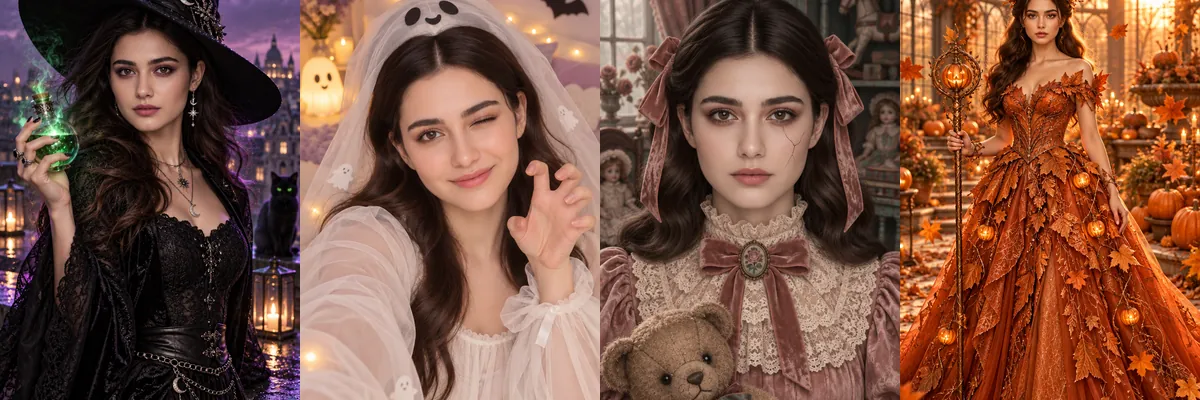
These four prompts cover the range of Halloween selfie moods, from cute and cozy to eerie storybook to full fantasy gown. None of them rely on gore, so they suit profile photos and family-friendly posts.
Each costume is a Reshot AI template you can open with a selfie in the iPhone app, or copy into another tool. The prompts build the costume and set around the person in your photo.
How these templates use your photo
Each template starts from a photo you pick. The prompt tells the model what to change, and your photo is the reference for everything else. Clear, front-facing photos with even light give the closest match.
1. Witch on a rainy rooftop
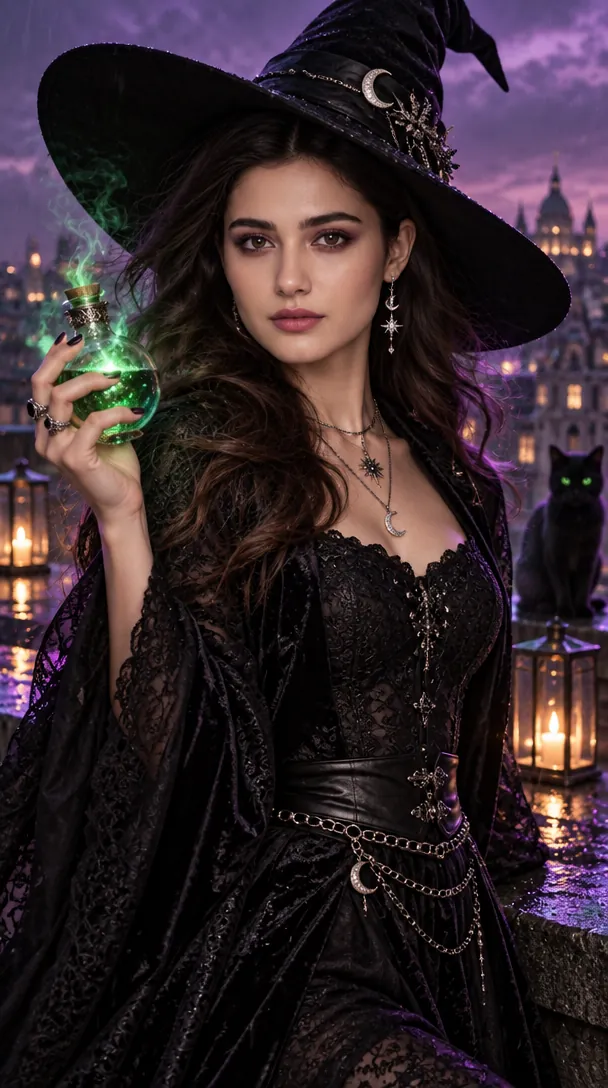
A modern witch in a black lace outfit and wide-brim hat, holding a glowing green potion on a city rooftop at twilight with lanterns and a black cat. Violet and emerald accent lights add color while the hat brim stays above the eyes.
Transform the person in the reference selfie into a modern Halloween witch. A fashionable black outfit, wide-brim hat, delicate silver jewelry, glowing potion bottle, rainy city rooftop at twilight, violet and emerald accent lights, wind moving a few strands of hair, confident expression, high-end fashion photography, three-quarter portrait, detailed fabric and natural skin texture.
2. Cute ghost with paper bats
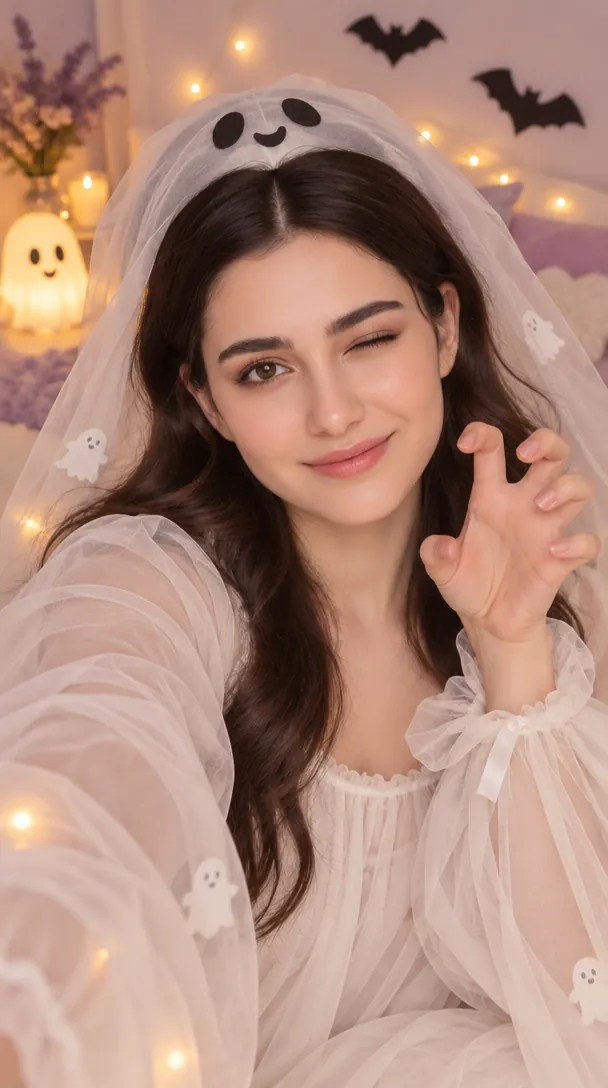
A playful ghost costume with a soft white veil, surrounded by tiny floating lights, little ghosts and paper bats in a lavender bedroom. The veil frames the face instead of covering it, and the mood stays cheerful rather than scary.
A cute, playful Halloween selfie concept featuring the person in the uploaded photo dressed in a soft white ghost-inspired outfit with a translucent veil, surrounded by tiny floating lights and paper bats. Warm bedroom lighting, pastel lavender and cream palette, cheerful expression, clean background, soft focus, social-media-ready portrait, whimsical rather than scary.
3. Haunted porcelain doll
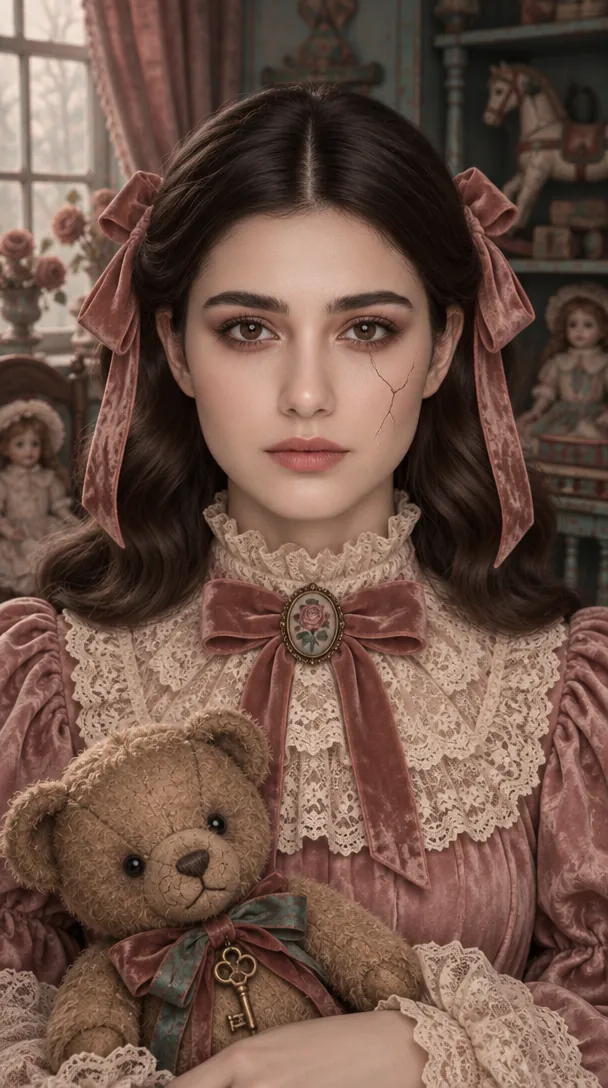
A vintage doll look with a lace collar, ribbon bows and a teddy bear in an antique toy room in dusty rose and muted teal. The prompt keeps the face recognizable and limits the cracked-paint effect to accessories.
Create a stylized haunted-doll Halloween portrait based on the uploaded selfie, keeping the person’s recognizable facial features. Vintage lace collar, ribbon details, slightly oversized porcelain-doll styling, antique toy room, dusty rose and muted teal palette, soft window light, subtle cracked-paint effect on accessories only, symmetrical portrait composition, eerie storybook mood without graphic horror.
4. Pumpkin Queen in a greenhouse
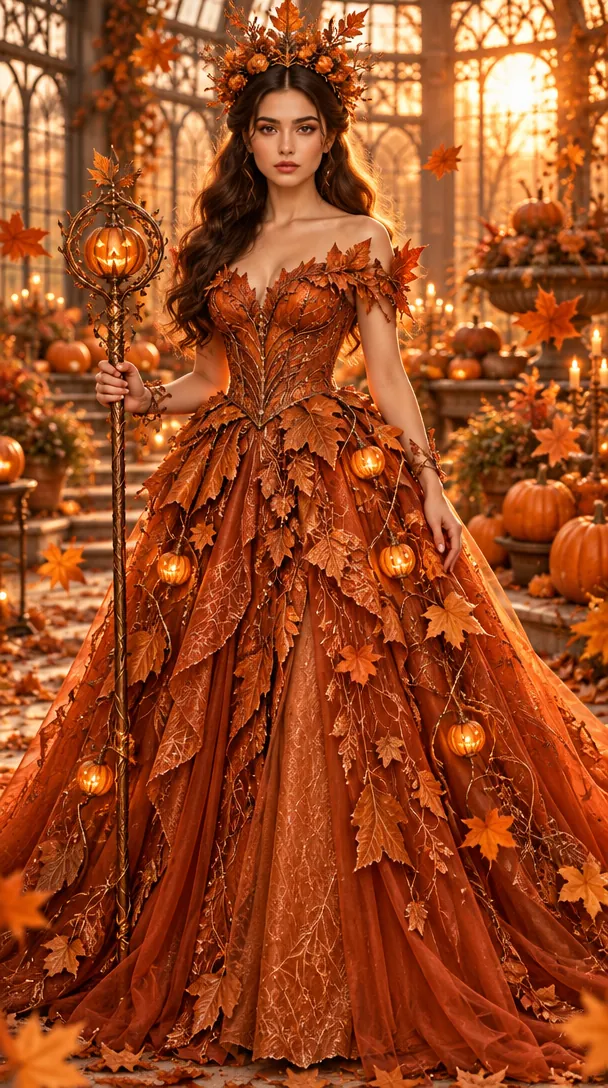
A full-length burnt-orange gown covered in leaf details and glowing pumpkin ornaments, with a leaf crown and staff in a greenhouse full of pumpkins. Golden-hour backlight and falling autumn leaves surround the figure without blocking the face.
Transform the person in the reference photo into a regal Pumpkin Queen for Halloween. A sculptural burnt-orange gown with leaf-like details, small glowing pumpkin ornaments, autumn leaves floating around the subject, grand greenhouse filled with pumpkins, golden-hour backlight, rich orange and copper palette, full-length editorial portrait, intricate fabric texture, fantasy fashion photography.
How to use these templates in Reshot AI
- Open Reshot AI on iPhone and find the Halloween Selfies category on the home screen.
- Pick a template. Choose a clear, front-facing selfie with good light; it is the reference for your face.
- Generate. Results arrive in the app’s History, so you can come back for them later.
- Want a different expression in the result? Open it in the Face Editor and add a smile, open closed eyes, or turn the head.
Frequently asked questions
Will the result look like me?
Each template uses your photo as the reference and describes the look, not a new face. Clear, front-facing photos with even light give the closest match.
Can I use these prompts outside Reshot AI?
Yes. The copy button gives you the full prompt; it works in any image tool that accepts a reference photo. Results will differ by model.
Is Reshot AI free?
The app is free to download. Generating templates uses credits or a Premium subscription; details are in the app.
Try Halloween Selfies in Reshot AI
Download Reshot AI, pick a template, choose a selfie.
⬇ Download on the App Store