How to Fix Eye Contact in Photos with AI
In every group photo, someone is looking at the wrong lens, the dog, or their phone. Most AI eye-contact tools only work on video. For photos, an expression editor with gaze control lets you fix eye contact person by person until everyone is looking at the camera.
Why is eye contact so hard to get in group photos?
With multiple phones out, people genuinely don't know which camera to look at — and attention drifts within milliseconds of the shutter. The odds that six people all look at the same lens in the same frame are low. Fixing gaze in post is far more reliable than another round of "everyone look HERE!"
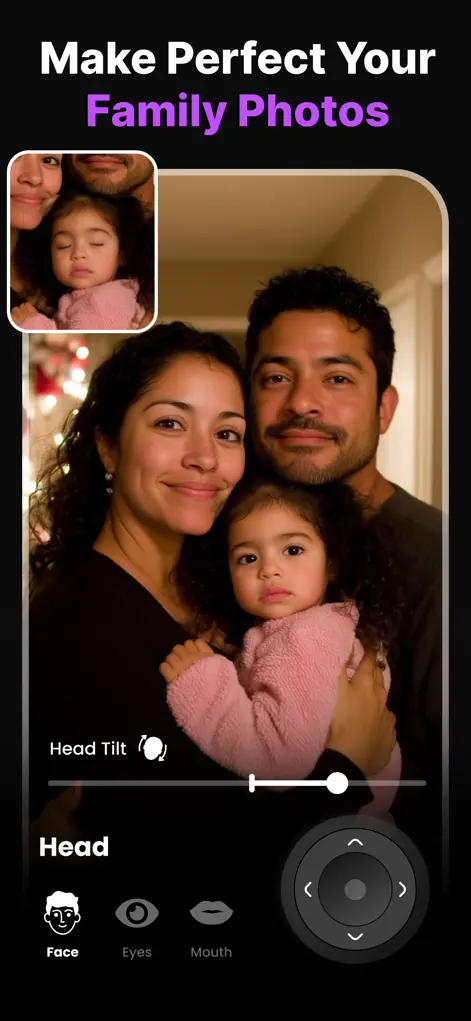
Step-by-Step: How to Fix Eye Contact in Photos with AI
- Import the group photo. Open Reshot AI and load the shot where gazes are scattered.
- Select the first wandering gaze. Tap the face of the person looking away. The Eye Expression Studio opens for that face only.
- Redirect the eyes to the camera. Use the eye-direction control to bring the gaze to center — looking straight into the lens. Keep the movement small; eyes rarely need to travel far.
- Repeat for each person, then export. Fix each face individually, compare before/after, and save the high-resolution photo where everyone finally looks at the camera.
Eye contact fixes: which control to use
| Problem in the photo | Control in Reshot AI | Typical adjustment |
|---|---|---|
| Looking at the wrong camera or a phone | Eye direction (Eye Expression Studio) | Small move toward center |
| Selfie gaze aimed at the screen, slightly below the lens | Eye direction | Nudge the gaze up to center |
| Head turned away and eyes off | Head Pose Adjuster, then eye direction | Rotate the head slightly toward the camera first |
| Blink or half-closed eyes | Eyelid openness | 15–25% for a squint, more for a full blink |
| Several people looking in different directions | Per-face editing | Fix each face, then export once |
What gaze correction can and can't rescue
Redirecting eyes works best on faces close enough to show clear irises and already turned roughly toward the camera. A handful of people shot from a few steps away usually gives Reshot AI enough detail; a large group photographed from across a room often does not, because each face is too small.
Sunglasses, hair over the eyes, strong blur and faces in near profile are poor candidates, and the app may not change them at all. A small correction, like a glance toward a second phone, is also far more reliable than moving the eyes from one side to the other. If someone is looking well away, crop closer, try a small head pose change first, or leave their gaze as it is.
Getting better eye contact while you're still shooting
Editing goes more smoothly when the source photo is favorable. Ask everyone to look at one camera and put other phones away, or take turns so only one person shoots at a time.
Stand close enough that faces fill a reasonable part of the frame, and take several frames. Then pick the one where most people already look at the lens, and correct the one or two who don't instead of editing everyone.
Try It on Your Own Photo
Expression Editor – Reshot AI is free to download on the App Store. Fix your first photo in under a minute.
⬇ Download Reshot AIFrequently Asked Questions
Can AI fix eye contact in photos, not just video?
Yes — Reshot AI is a photo-first tool. It redirects eye gaze in still photos while preserving the person's real eyes and the photo's lighting.
Can I fix multiple people in one photo?
Yes, each face is edited individually, so you can correct every wandering gaze in the same group shot.
How far can I move someone's gaze?
Enough to bring a sideways glance back to the lens. Extreme redirections (e.g., head fully turned away) work better combined with a small head-pose adjustment.